Real-Time Restroom & Washroom Feedback System, Not Just Complaints
A dirty restroom drives more public reviews than almost any other touchpoint - and most operators only hear about it after a one-star review, not in the moment. PXP turns a tap on a smiley terminal or tablet, or a QR scan, into a structured, anonymous signal your team can act on immediately.
Pilots start with a handful of restrooms at one or two locations - low commitment, fast to see signal.
10+ yrsRunning real-time feedback programs
75+Corporate clients across six industries
12M+In-the-moment feedback signals collected
Restroom FeedbackWest Wing · L2
1
Scan the code by the door - no app, no login
2
How was this restroom?
GreatNeeds attention
3
What's the issue?
Out of suppliesNeeds cleaningMaintenance
No name, no number - anonymous by default
The Problem
The one complaint nobody files at the front desk
Restroom condition disproportionately shapes how visitors judge an entire facility - an airport, a hospital, a store - yet it's the touchpoint operators hear about least, and last.
Most guests won't stop staff or file a complaint over a restroom issue. They just leave frustrated - and some of them go straight to a public review instead of the front desk. By the time a facility manager sees the problem, it's already shaping how strangers rate the whole building.
Meanwhile, most restroom-monitoring systems on the market today are little more than a complaint hotline: someone has to be upset enough to report a problem before anyone hears anything at all. There's no read on the restrooms that are simply fine - no baseline, no trend, nothing to benchmark against.
The Basics
What is a restroom feedback system?
Restroom feedback system
A restroom feedback system lets visitors rate a restroom, washroom or toilet in seconds - on a smiley terminal, a tablet, a QR code or by SMS - and say what is wrong. Low ratings alert the cleaner responsible for that restroom straight away, and every rating, work order and fix is recorded, so facility teams can see which restrooms need attention and prove when they were serviced.
How a washroom feedback system works
1
A visitor rates the restroom
One tap on a smiley terminal or tablet, or a quick QR or SMS response. After a low score, they pick the issue - no toilet paper, bad smell, wet floor.
2
The threshold is reached
Each washroom has its own rule, such as three negative ratings in a row. When it trips, PXP opens a work order for that exact restroom with the reason attached.
3
The right cleaner is alerted
The assigned cleaner gets the alert by SMS, email or WhatsApp, with delivery tracked. If it is still open when the SLA passes, a supervisor is alerted.
4
The fix is verified
The cleaner checks in at the restroom, the work order closes with its resolution time, and the display shows the new last-cleaned time.
Collectors
Restroom Feedback Collectors: Smiley Terminal, Tablet, QR Code and SMS
Four collector options, all feeding the same dashboard and the same alert rules. Most sites mix them - a terminal or tablet at the busiest exits, QR codes everywhere else.
Touchless
Smiley Terminal
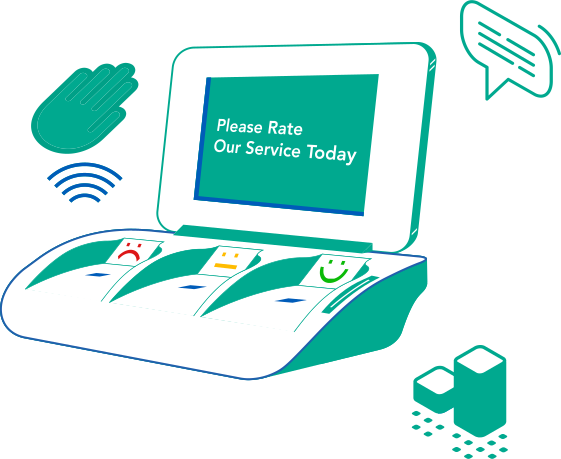
A touch-free smiley terminal by the exit captures a one-second rating from almost everyone who walks out - answered by holding a hand over a face. After a low score it asks what's wrong with issue tags. Battery-powered option, no corporate Wi-Fi needed, and response rates of 30%+ where installed.
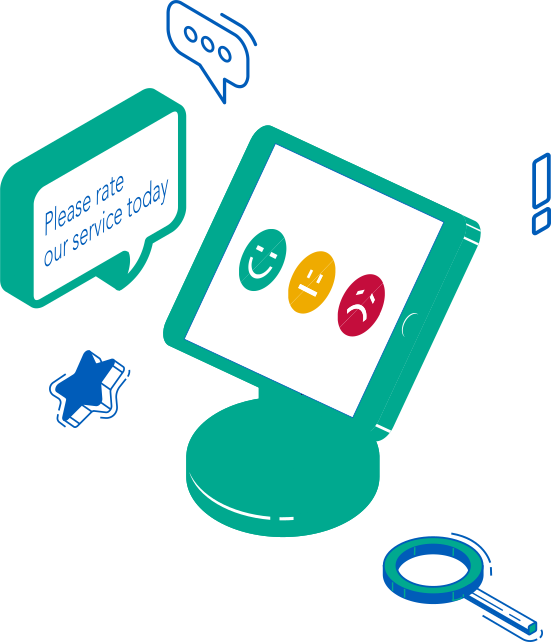
The PXP Feedback App on a wall-mounted tablet outside the washroom - branded, reconfigurable per site, and able to ask more than one question. It shows when the restroom was last cleaned, and the same tablet lets cleaning associates log a check-in after each round.
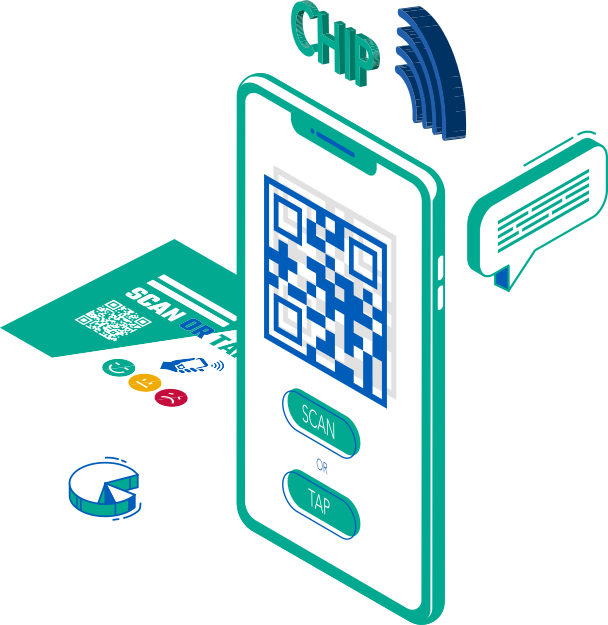
A code at the door or on the back of a stall opens a short, mobile-friendly survey - no app, no account. Visitors answer on their own phone, and it is genuinely anonymous by default, not just "not disclosed."
Where a quick text is the more natural fallback - low-connectivity areas or guests who prefer it - PXP offers a text-in option that feeds the same structured pipeline as the other collectors, not a separate inbox.
Comparison of restroom feedback collectors by hygiene, power, connectivity and best fit
Dimension
Hygiene
Power
Connectivity
Best for
Smiley terminal
Touchless (hover)
Battery option or mains
Own connection, no corporate Wi-Fi
Busy restroom exits: airports, malls, stations
Tablet app
Touchscreen, easy to wipe
Tablet battery or mains
Wi-Fi or mobile data
Branded entrances where a follow-up question is worth it
QR code
Visitor's own phone
None needed
Visitor's mobile data
Every stall and smaller washrooms, at almost no cost
SMS
Visitor's own phone
None needed
Mobile network
Low-connectivity areas and visitors who prefer to text
Washroom Feedback on a Tablet
A washroom feedback tablet that asks more than one question
Terminals win on speed at the busiest exits. A tablet earns its place where a richer answer is worth one more tap - entrances at airports, malls, hotels and offices.
How clean is this washroom?
Last Service 10:30 AMNext Service 11:30 AM
What needs attention?
No toilet paperEmpty soapBad smellNeeds cleaning
Rating, reason and last-cleaned time on one screen
The PXP Feedback App runs on a standard iOS or Android tablet mounted by the washroom. Visitors rate the restroom, pick the issue after a low score, and see when it was last cleaned - which builds trust before they walk in.
Multi-question surveys, with a follow-up only when the score is low
Issue tags such as no toilet paper, empty soap and bad smell
Your branding, and questions in any language
Cleaners log a verified check-in on the same tablet
What visitors can report about a toilet - and who gets it
After a low score, visitors choose the reason in one more tap. The reason decides who is alerted, so a broken flush goes to maintenance and an empty dispenser goes to the cleaner on that floor.
No toilet paperRouted to the cleaner on that floor
Empty soapRestock request with the dispenser location
Bad smellCleaning priority, flagged if it repeats
Wet floor or needs cleaningImmediate clean, visible to supervisors
Out of paper towelsRestock request with the zone attached
Bin fullAdded to the next round or sent now
Faulty flush or tapWork order to maintenance, not cleaning
Broken lock or hand dryerWork order to maintenance with the stall noted
The Differentiator
From Complaint Inbox to Measurement System
A restroom complaint alert system tells you when someone is angry enough to text. PXP tells you how every restroom is actually doing.
SMS-Only Complaint Hotline
PXP Restroom Feedback
Signal type
Defect log - only complaints get reported
Rated experience, with a positive baseline too
Structure
Free text straight to a person, no categories
Rating + why-category + AI theme extraction
Privacy
Phone number + timestamp + room code, "not disclosed"
Anonymous by default - no PII required
Data integrity
Mistyped room codes misattribute the issue
QR code ties feedback to the exact fixture
Channel
SMS only, per-message cost, opt-out overhead
Omnichannel - QR/web primary, SMS, kiosk or tablet as needed
One scan becomes a routed, trackable signal
A rating and a why-category take seconds to give. From there, PXP does the rest - scoring, categorizing, and routing the issue to the right team with a full accountability trail.
Step 1Quick Rating
→
Step 2Why-Category
→
Step 3Optional Comment
→
Step 4PXP AI Theme Extraction
→
Step 5Action Hub Routes the Fix
Privacy by Default
PXP is designed with privacy-by-default principles: standard kiosk and web
feedback can be anonymous, PII collection is minimized, access is role-based,
and enterprise deployments support encryption, audit logging, retention
controls, and consent-aware outbound campaigns.
From Feedback to Fixed
Thresholds, work orders and WhatsApp alerts close the loop
Feedback only matters if it reaches someone who can fix the restroom - fast, and with a record that it was done.
Each restroom has its own alert threshold. When visitors leave a set number of negative ratings in a row, PXP opens a work order for that restroom with the reason attached - out of supplies, needs cleaning, odor or maintenance - and notifies the cleaner assigned to it by SMS, email or WhatsApp. Delivery is tracked for every message, and if the work order is still open when the SLA passes, the alert escalates to a supervisor.
The cleaner closes the loop at the restroom itself with a verified check-in, which updates the Last Service time on the feedback display. Add a people counter at the entrance and each restroom can also be serviced by traffic - after a set number of visitors - instead of by the clock alone.
Airports, rail and motorway service areas, shopping centres and malls, hospitals, hotels, stadiums and office buildings - restroom feedback plugs into the collectors and solutions PXP already runs in each of these environments.
Practical answers for facility managers, operations leads, and CX teams evaluating PXP.
What is a toilet feedback system?
A toilet feedback system - also called a restroom or washroom feedback system - lets visitors rate the toilets in seconds on a smiley terminal, tablet, QR code or SMS, and pick the reason when something is wrong, such as no toilet paper or a bad smell. Low ratings alert the cleaner responsible for that toilet straight away, and every visit and fix is recorded for reporting.
Do the feedback terminals need Wi-Fi or mains power?
No. PXP smiley terminals are available in a battery-powered option, and they connect without using your corporate Wi-Fi network, so they can go on a wall outside a washroom without cabling or IT setup.
Are the restroom feedback terminals touchless?
Yes. The PXP TouchFree terminal is answered by holding a hand over a smiley face, so nobody has to touch a shared surface in a washroom. QR codes and SMS also let visitors answer on their own phone.
Can visitors say what is wrong, not just give a rating?
Yes. After a low score, the terminal or tablet asks a follow-up question with issue tags such as no toilet paper, empty soap, bad smell, wet floor or needs cleaning. The chosen reason travels with the alert, so the cleaner knows what to bring before they arrive.
Which languages can restroom feedback surveys use?
Any language. Each site can show its questions in the languages its visitors speak - for example English, French, Arabic or German - and responses still roll up into one dashboard.
Where should restroom feedback QR codes and terminals be placed?
Place the terminal or tablet by the washroom exit at eye level, where people pass on the way out. QR codes work best at eye level on the inside of the door or on the back of stall doors. Use one code or device per restroom, so every rating is tied to the exact location.
Can we use a tablet for restroom feedback?
Yes. The PXP Feedback App turns a wall-mounted iOS or Android tablet into a washroom feedback point that supports multi-question surveys, issue tags after a low score, your branding, and a last-cleaned display. The same tablet lets cleaners log a verified check-in after each round.
How do people leave restroom feedback without an app or an account?
A QR code posted by the door opens a short, mobile-friendly survey in the
browser. There is no app to download and no account to create. A rating and a
why-category take a few seconds, and an optional comment is available for
anyone who wants to add detail.
How is this different from a text-in restroom complaint hotline?
An SMS-only hotline is a defect log — it only hears from people upset enough
to report a problem, so there is no positive baseline and nothing to trend.
PXP captures rated experiences including the good ones, adds a structured
why-category, applies AI theme extraction to comments, and routes the result
through Action Hub with an accountability trail.
Is restroom feedback really anonymous?
PXP is designed with privacy-by-default principles — standard kiosk and web
feedback can be anonymous, PII collection is minimized, access is role-based,
and enterprise deployments support encryption, audit logging, retention
controls, and consent-aware outbound campaigns. A QR-to-web response does not
require a phone number or a name.
How quickly is the facilities team alerted when something is wrong?
When a rating or a pattern of responses crosses a threshold, Action Hub routes
an alert to the responsible team with the location, the why-category, and the
comment attached, so a supply or cleaning issue can be resolved while people
are still on site rather than after a public review appears.
Can we use a tablet instead of a dedicated kiosk?
Yes. The PXP Feedback App runs on a wall-mounted iOS or Android tablet, which
is often faster and cheaper to roll out, can use hardware you already own,
and can be reconfigured per site. The same tablet can also let cleaning
associates log a check-in after each round. Dedicated touch-free kiosks remain
the better fit for very high-traffic or harsh environments, and many sites
mix both.
Can cleaners be alerted by WhatsApp or SMS?
Yes. When a restroom reaches its alert threshold, PXP opens a work order and
notifies the assigned cleaner by SMS, email or WhatsApp, with delivery status
tracked. If the issue is not resolved within the SLA, the alert escalates to
a supervisor.
What does a restroom feedback deployment cost?
Pricing is configured per deployment because it depends on the number of
locations, restrooms, and collectors involved. Most teams start with a pilot
across a handful of restrooms at one or two sites. Book a demo and we will
size it to your sites.
From Scan to Resolution
Your restrooms are already talking. Now you can hear them.
Start with a pilot across a handful of restrooms at one or two locations. Pricing is configured per deployment — talk to us and we'll size it to your sites.