Customer Feedback Dashboard and Analytics for Every Touchpoint
PXP is a customer feedback dashboard and real-time feedback dashboard that helps teams monitor feedback analytics, compare locations and channels, and spot the issues that need attention first.



Trusted by leading companies worldwide
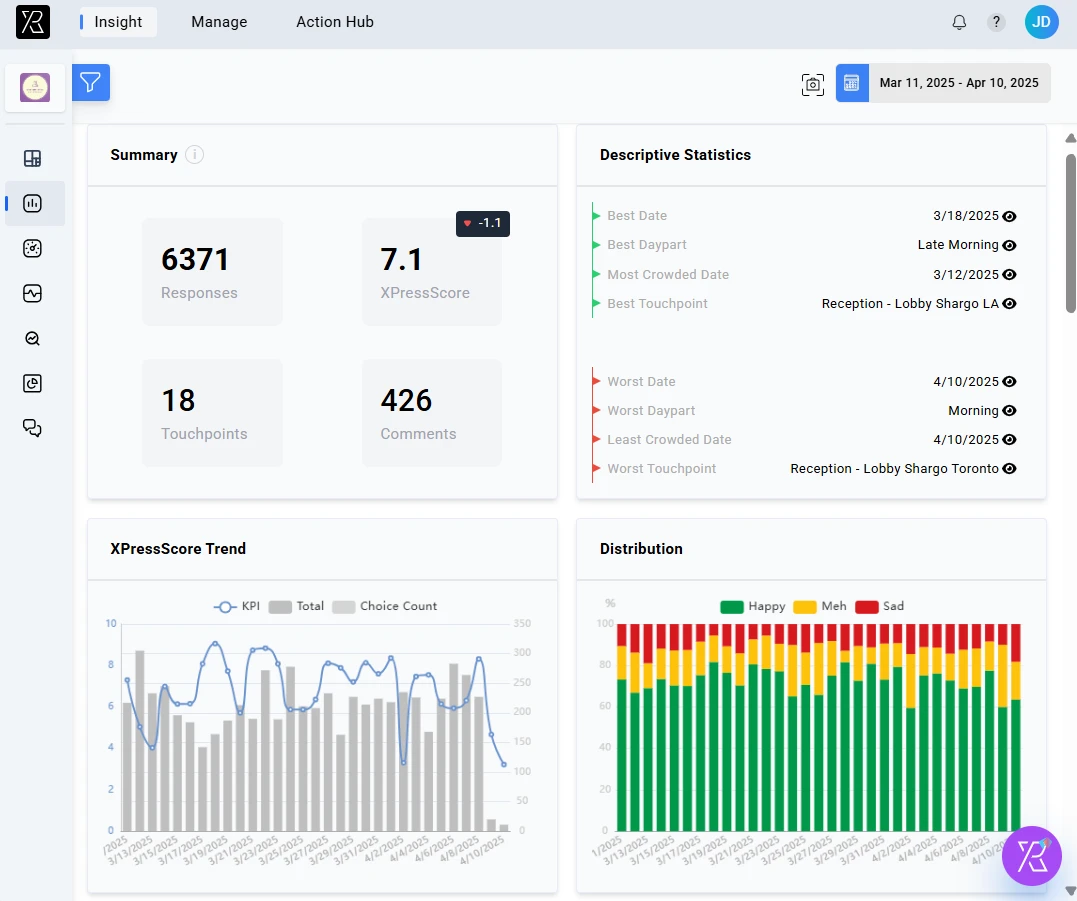
See what needs attention across your customer experience
PXP connects feedback to the locations, teams, channels, and touchpoints behind each experience, so teams can focus on the patterns that matter most.
Use PXP as a feedback dashboard, CX dashboard, experience dashboard, and customer experience dashboard for daily feedback reporting.
Baggage Claim is driving 36% of sad responses this month, with the sharpest decline after 5 PM.
Which touchpoint needs attention first?
Baggage Claim. Negative response share is rising fastest and the XPressScore is down to 2.8.
- Live CSAT, NPS, CES, and response tracking
- Daily, weekly, and monthly trend views
- Alerts when key metrics shift
- Location and touchpoint comparisons
- Recurring complaint theme detection
- Filters by date, channel, team, and segment
- Root cause analysis
- Top improvement opportunities
- Clear next steps by team or location
Dashboard views built for fast, focused decisions
Our dashboard is designed to help every role in your organization access the insights they need, when they need them.
Combine customer feedback analytics, survey dashboard views, customer insights dashboard reporting, and text analytics dashboard signals in one place.
Executive View
Give leaders a clear view of customer experience performance, where risk is rising, and which improvements deserve priority.
Where is experience improving or declining?
Compare satisfaction, NPS, CSAT, and CES trends across locations, regions, and touchpoints.
What should leadership focus on next?
Surface the recurring issues, high-impact opportunities, and shifts that need executive attention.
Which changes need immediate visibility?
Flag sudden drops, unusual feedback patterns, and priority metrics before they become larger business problems.
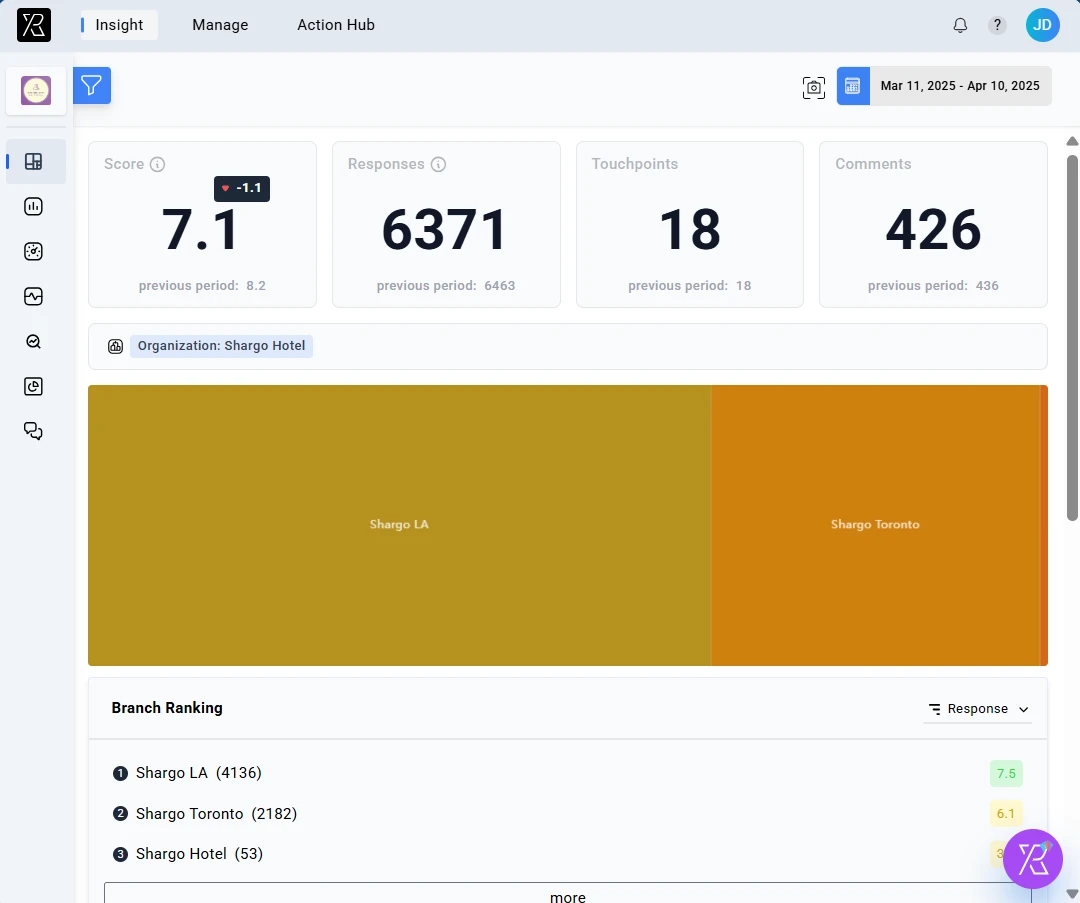
The reporting tools behind every view
Strategic KPI Tracking
Monitor customer satisfaction, NPS, CSAT, and CES scores across the entire customer journey.
Trend Analysis
Identify long-term patterns and emerging issues before they impact your business.
Priority Alerts
Receive notifications about significant changes that require executive attention.
Team Performance
Track response times, resolution rates, and customer satisfaction by team or agent.
Feedback Management
Organize and prioritize customer feedback for efficient response and resolution.
Multi-dimensional Analysis
Slice and dice data by user group, cluster, topic, touchpoint, and sentiment.
Chat with Your Dashboard
Instead of digging through filters and reports, ask the PXP AI Agent questions about your feedback data and get direct answers you can act on.
- Ask questions like, "Why did satisfaction drop this week?"
- Summarize feedback themes without manually filtering every report
- Get explanations and recommended next steps from your own dashboard data
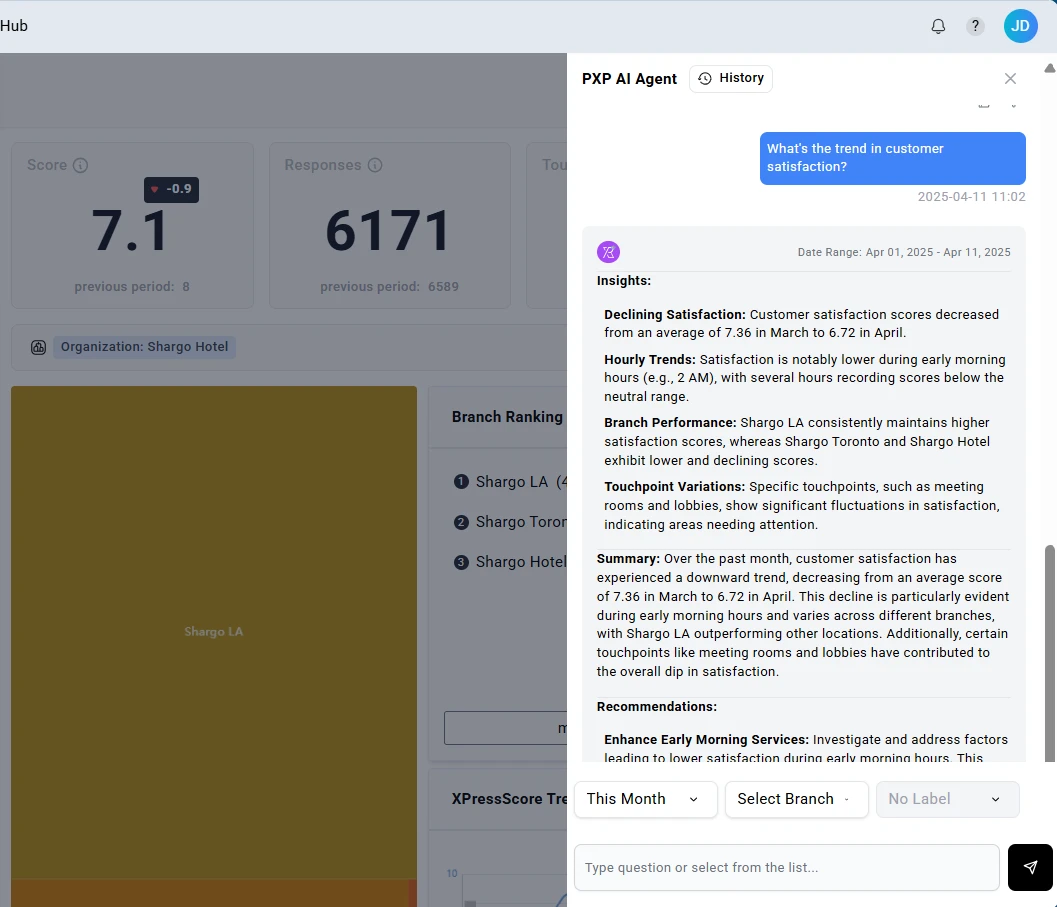
"What caused the drop in lobby satisfaction this week?"
Analyze every feedback channel in one dashboard
Bring feedback from digital, mobile, support, and social channels into one reporting view, then compare performance across the full customer journey.
Website & App
Compare digital feedback with location and touchpoint trends
Support Interactions
Connect service conversations to recurring experience issues
Mobile & SMS
Track fast-response feedback alongside other satisfaction signals
Social Media
Monitor public comments and sentiment in the same reporting workflow
Ready-made views for faster decisions
Start with focused reporting views for leadership, operations, and voice-of-customer analysis, then drill into the details when a trend needs attention.
- Overall satisfaction scores
- Month-over-month trends
- Top improvement opportunities
- Touchpoint satisfaction mapping
- Journey friction points
- Channel performance comparison
- Top feedback themes
- Sentiment by category
- Verbatim customer quotes