QR Code Restroom Feedback: Placement, Questions and Alerts That Work

A QR code on a restroom door is the cheapest way to hear from visitors. It needs no hardware, no power and no installation - just a sticker. That is also why so many restroom QR codes collect almost nothing: they are put in the wrong place, ask too much, and send the answers into an inbox nobody watches.
Done properly, QR code restroom feedback gives every restroom - and every stall - its own voice, and turns a scan into a cleaning task within minutes. Here's how to get it right.
How QR Code Restroom Feedback Works
The visitor scans the code with their phone camera. A short survey opens in the browser - there is no app to download and no account to create. They rate the restroom, pick the issue if something is wrong, and submit. Because each code belongs to one restroom, every answer arrives with the exact location and time attached, so a complaint about the second-floor east restroom never gets confused with the one next to the lobby.
From there, a restroom feedback system does what the sticker alone can't: it counts, routes and tracks. A run of negative ratings opens a work order for that restroom and alerts the assigned cleaner by SMS, email or WhatsApp.
Placement: Where Restroom QR Codes Get Scanned
Placement decides response rates more than design does.
- Inside the door, at eye level. People see it while washing their hands and leaving, when they have just experienced the restroom.
- On the back of stall doors. This is where visitors have a moment and their phone already in hand. In large restroom blocks, give each stall its own code so issues like a broken lock or an empty dispenser point to the right stall.
- Not only at the entrance. People walking in have nothing to rate yet.
- One code per restroom or zone. Shared codes destroy the location data, which is the most valuable part of the answer.
- Good light and contrast. A small code on a reflective mirror in dim light simply won't scan.
What to Ask: Ten Seconds or Less
Every extra question costs responses. The best restroom QR surveys follow the same pattern:
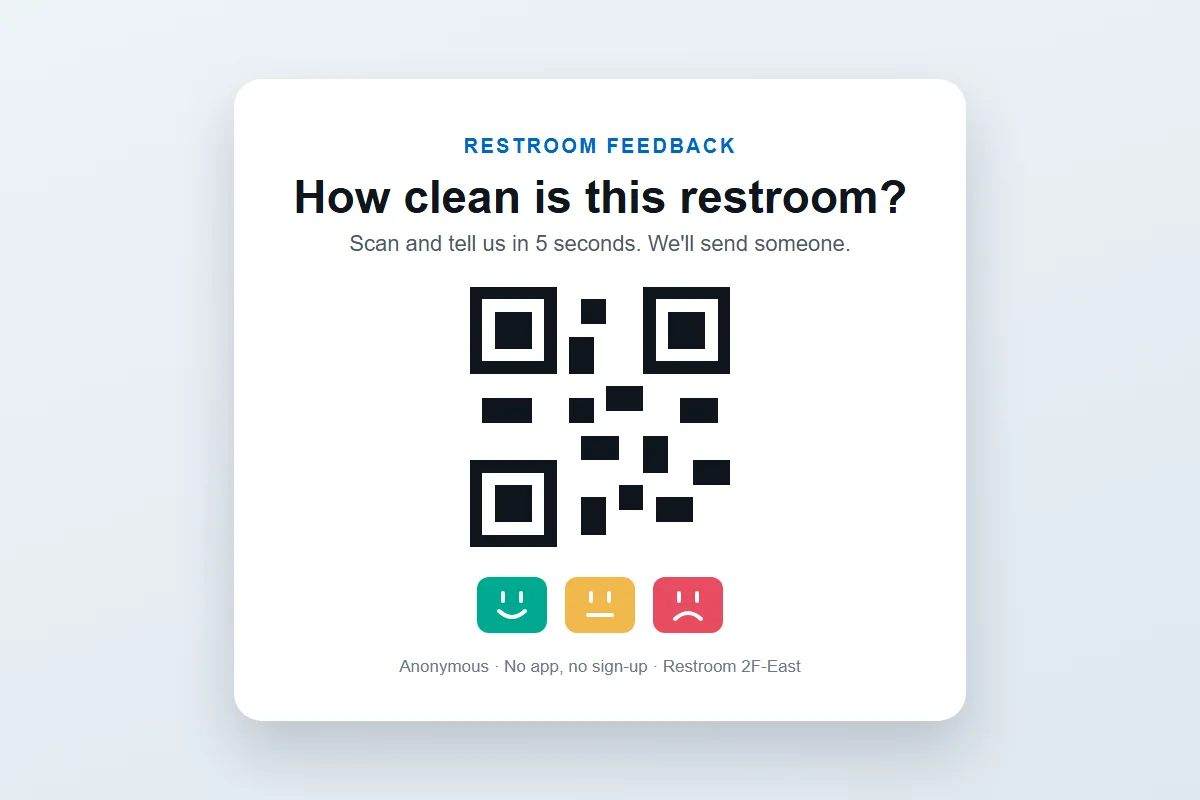
- One rating question: "How clean is this restroom?" with happy, neutral and unhappy faces.
- Issue tags only after a low score: no toilet paper, empty soap, bad smell, wet floor, bin full, something broken.
- An optional comment for anything the tags don't cover.
Show the questions in the languages your visitors speak - PXP surveys can run in any language - so international visitors at airports, stations and malls can answer as easily as everyone else.
Sign Copy That Gets Scans
The words around the code matter. Tell visitors what happens when they scan, not just that they can:
- "Something not right? Scan and we'll send someone."
- "How clean is this restroom? Tell us in 5 seconds."
- "Anonymous - no app, no sign-up."
Visitors scan when they believe someone is listening. If you show the last time the restroom was cleaned next to the code, that belief gets stronger.
Routing: From Scan to Cleaner
A QR code program is only as good as what happens after the scan. Three rules keep it useful:
- Alert on patterns, not single scans. A per-restroom threshold - such as three negative ratings in a row - opens a work order only when there is a real problem.
- Let the issue decide who goes. A faulty flush goes to maintenance; an empty dispenser goes to the cleaner on that floor.
- Track it to the end. Delivery status for every alert, an SLA timer that escalates to a supervisor, and an on-site check-in that closes the work order with its resolution time.
This is the step most QR-only tools skip, and it is the one that actually reduces complaints. For the full operating model, see smart restroom management.
When to Add a Terminal or Tablet
QR codes rely on visitors choosing to take out their phone. In a small office restroom, enough of them will. In a busy airport, station or shopping centre restroom, most won't - they are in a hurry.
That is where a touchless smiley terminal earns its place: one hover of a hand on the way out, no phone needed, running on a battery that lasts over a year with its own SIM connection. Where you want a richer answer, a wall-mounted feedback tablet can ask a follow-up question, show the last-cleaned time and let cleaners log their check-in.
The best setups mix all three: a terminal or tablet at the main exit, QR codes on every stall, all feeding the same dashboard and the same alert rules. For more on choosing between channels, read feedback kiosks vs QR vs SMS vs voice.
The Bottom Line
QR code restroom feedback works when the code is where people have a moment, the survey takes ten seconds, and every scan can turn into a tracked cleaning task. Get those three right and a sticker becomes one of the most useful sensors in the building. Add a terminal or tablet where traffic is heavy, and you'll hear from far more of your visitors.
Ready to put restroom feedback on your doors? Book a demo and we'll help you plan a pilot.
Frequently Asked Questions
How does QR code restroom feedback work?
A QR code at the restroom opens a short survey in the visitor's phone browser - no app and no account. The visitor rates the restroom, picks the issue if something is wrong, and submits. The response arrives with the exact restroom and time, and a run of negative ratings opens a work order and alerts the assigned cleaner.
Where should restroom feedback QR codes be placed?
At eye level on the inside of the restroom door and on the back of stall doors, where people have a moment and their phone in hand. Avoid placing codes only at the entrance, where people are on their way in and have nothing to rate yet. Use one code per restroom or zone so every answer has an exact location.
What should a restroom QR code survey ask?
One rating question - such as 'How clean is this restroom?' - followed by a short list of issues only when the score is low: no toilet paper, empty soap, bad smell, wet floor, bin full or something broken. Keep it under ten seconds; an optional comment box covers everything else.
Is QR code feedback enough on its own?
For small restrooms and individual stalls, often yes. In busy restrooms - airports, stations, malls - most visitors won't stop to scan, so pair the QR code with a touchless smiley terminal or a tablet at the exit. They all feed the same dashboard and alert rules.
 Press'nXPress Team