Quick feedback
Smiley rating, ABC reason choice, optional comment.
RateChoose whySubmit
Feedback App for Tablet and Mobile
Use the PXP tablet feedback app, mobile feedback app, or survey feedback app to collect smiley ratings, follow-up reasons, comments, contact details, and multi-question customer feedback at physical locations.
How did we do today?
Why use the app
Feedback terminals are best for instant high-volume signals. The Feedback App is best when you want richer answers, contact details, or a guided survey flow on a familiar device.
Smiley rating, ABC reason choice, optional comment.
Low score, issue category, comment, contact permission.
Multiple questions for deeper research, events, or structured audits.
On the screen
Visitors answer a single smiley question, then pick the reason in one more tap. Two touches, a few seconds - and the team knows not just how people felt, but what to fix.
How did we do today?
What can be improved?
Washrooms & facility teams
Mounted outside a washroom, the tablet asks visitors how the restroom is and what needs attention - cleanliness, supplies, odor. A low score raises an alert for the associate responsible for that area, with the reason attached.
The service bar along the bottom can show when the area was last serviced and when the next round is due, so visitors can see the restroom is looked after. Where a deployment is set up for it, associates log their cleaning check-in on the same device, giving supervisors a record by associate, location and time.
Repeated low scores can open a work order automatically and alert the assigned cleaner by SMS, email or WhatsApp, with escalation to a supervisor if the SLA is missed.
Why facility teams use tablets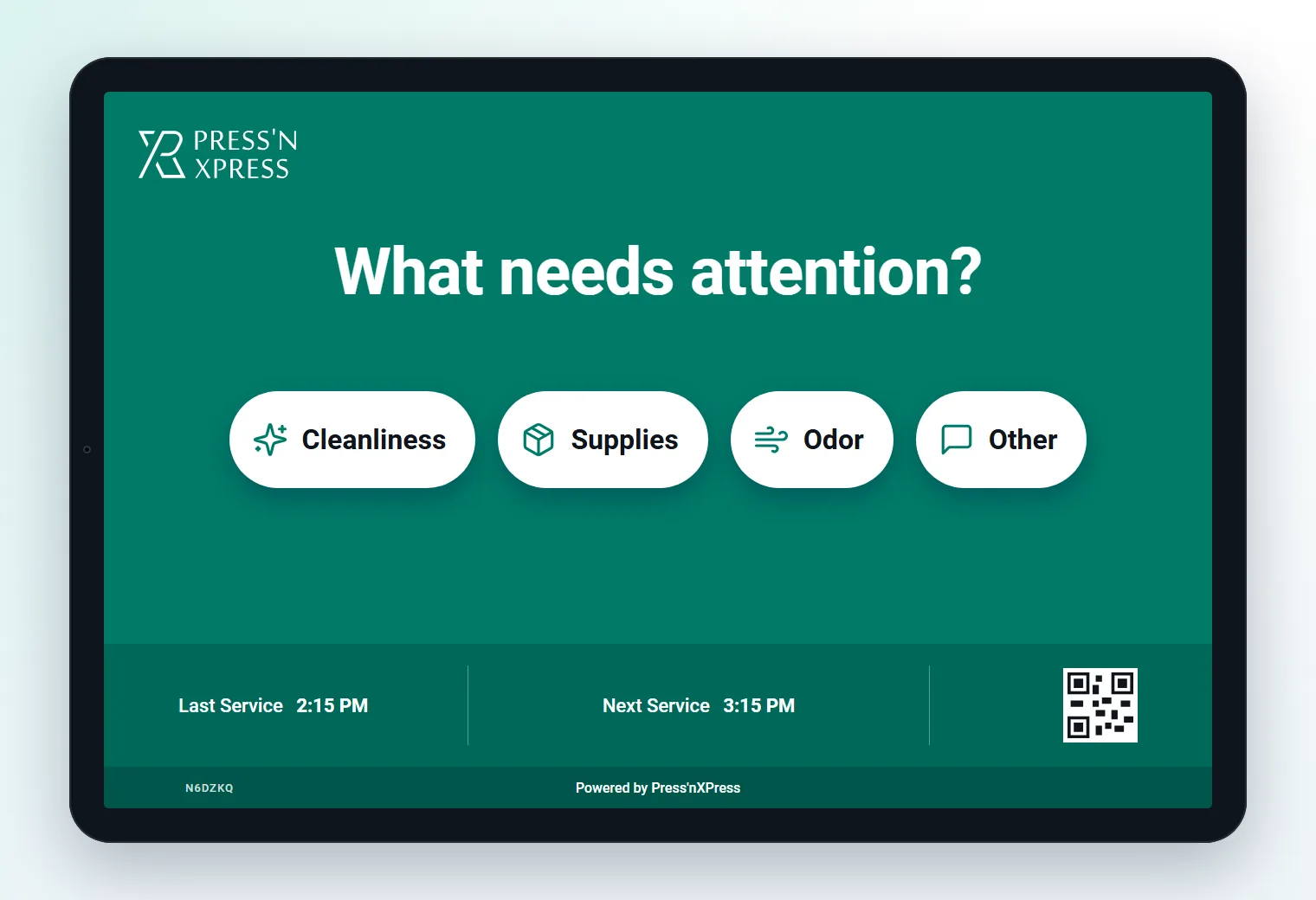
Where teams use it
Tablets outside high-traffic washrooms, with alerts routed to the cleaning team.
Read the use caseThe tablet as a live service display, with verified cleaning check-ins and automatic work orders.
Read the use caseTablets on wards and at washroom doors, with patient feedback routed to nursing or environmental services.
Read the use caseDaily meal ratings in cafés, break rooms and dining halls - menu by menu, site by site.
Read the use caseOccupant feedback across every building and client site, as SLA evidence.
Read the use caseUse cases
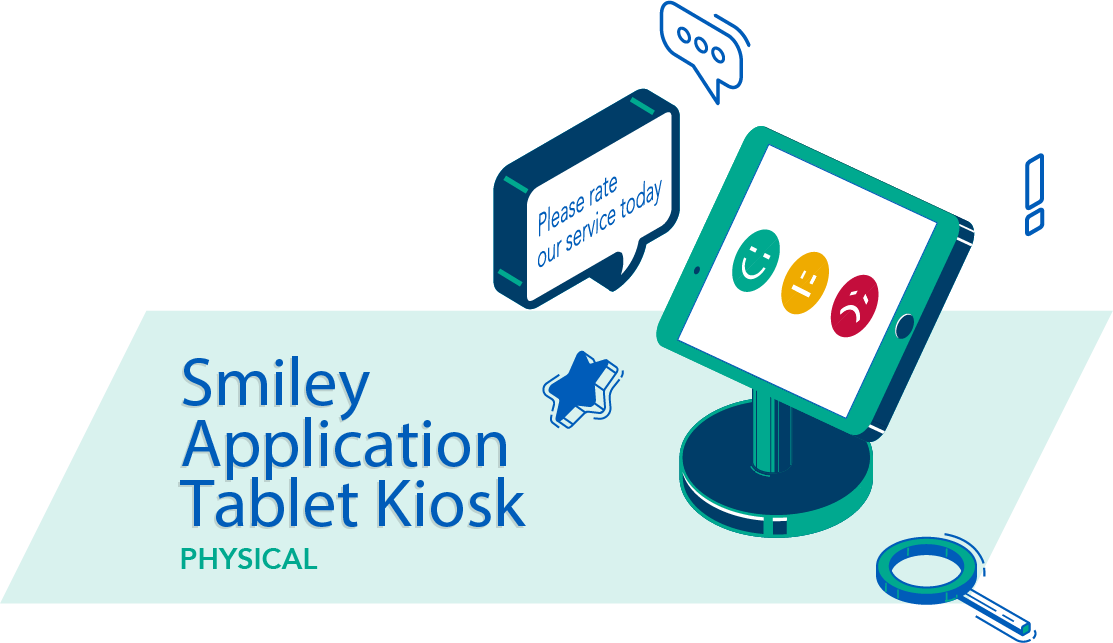
Install the app on an iOS, Android, or tablet device and place it at reception, checkout, lobby, or service counters.
Start with a smiley or rating, then ask customers to choose why they felt that way.
Let customers explain what happened in their own words when a quick button response is not enough.
Collect name, email, phone, and permission to follow up when service recovery or lead capture matters.
Run a short survey with multiple questions while keeping the experience focused and easy to complete.
Show different questions based on the customer’s first answer, location, or survey objective.
Product fit
The app fits best at moments where customers have time to answer one or two extra questions, leave a comment, or share contact details for follow-up.
App capabilities
Use existing tablets or phones as flexible in-location feedback collectors.
Capture a fast satisfaction signal and then ask why with a few simple options.
Collect open-ended feedback when the customer has more to say.
Gather contact details for follow-up, recovery, or lead generation when appropriate.
Run richer feedback programs than a physical button device can support.
Responses flow into the same reporting, alerts, and analysis environment.
Compare collectors
Many teams use both: smiley kiosks for continuous high-volume satisfaction measurement, and the Feedback App where comments, contact collection, or multi-question surveys are needed.
Build the survey in the Survey Builder Compare Feedback Terminal
FAQ
In the PXP Survey Builder: pick a template or start from scratch, add scale, why, comment, voice and contact questions, set Show when rules, choose the look, and attach the survey to the tablet touchpoint. PXP AI Agent can draft it for you.
A tablet feedback app is software installed on an iOS or Android tablet or phone that lets customers share their opinions at a physical location such as a reception desk, clinic, event, or store checkout. The PXP tablet feedback app collects smiley ratings, follow-up reason choices, open comments, and contact details in a single guided session. It is designed for moments where customers have a little time to answer more than one question, giving businesses richer insight than a single-tap feedback terminal can provide.
Yes. The feedback app includes a contact capture step that collects name, email, phone, and follow-up permission, making it suitable for service recovery or lead generation at reception desks, clinics, and checkout counters.
The app supports both quick smiley ratings and full multi-question survey flows. You can combine a satisfaction rating with follow-up reason choices, an open comment box, and additional questions in a single guided session.
The feedback app runs on iOS and Android devices, so you can install it on existing tablets or phones and place them at any physical location as a flexible in-location feedback collector.
Yes. The tablet screen can include a service bar showing when the area was last serviced and when the next round is due, so visitors can see the restroom is being looked after while they leave a rating.
Where a deployment is configured for it, associates can log a cleaning round or check-in on the tablet at their area. Supervisors then get a record of cleaning by associate, location and time alongside the visitor feedback for the same washroom.
Show us where customers will answer and what you need to learn. We will help choose the right app flow, device setup, and reporting structure.