Why Facility Teams Are Putting the PXP Feedback App on a Tablet

Facility services companies face a deployment problem that most feedback vendors underestimate. Every client site is different. One is a corporate campus with forty washrooms across six floors. Another is a hospital with strict infection-control rules. A third is a shopping center where the restrooms see ten times the traffic on a Saturday. And the contract that covers them all might change scope next quarter.
A feedback solution for this world has to be quick to install, easy to move, simple to reconfigure, and connected to how the work actually gets done. That's why so many facility teams are choosing the PXP Feedback App on a wall-mounted tablet as their go-to collector.
What the PXP Feedback App Is
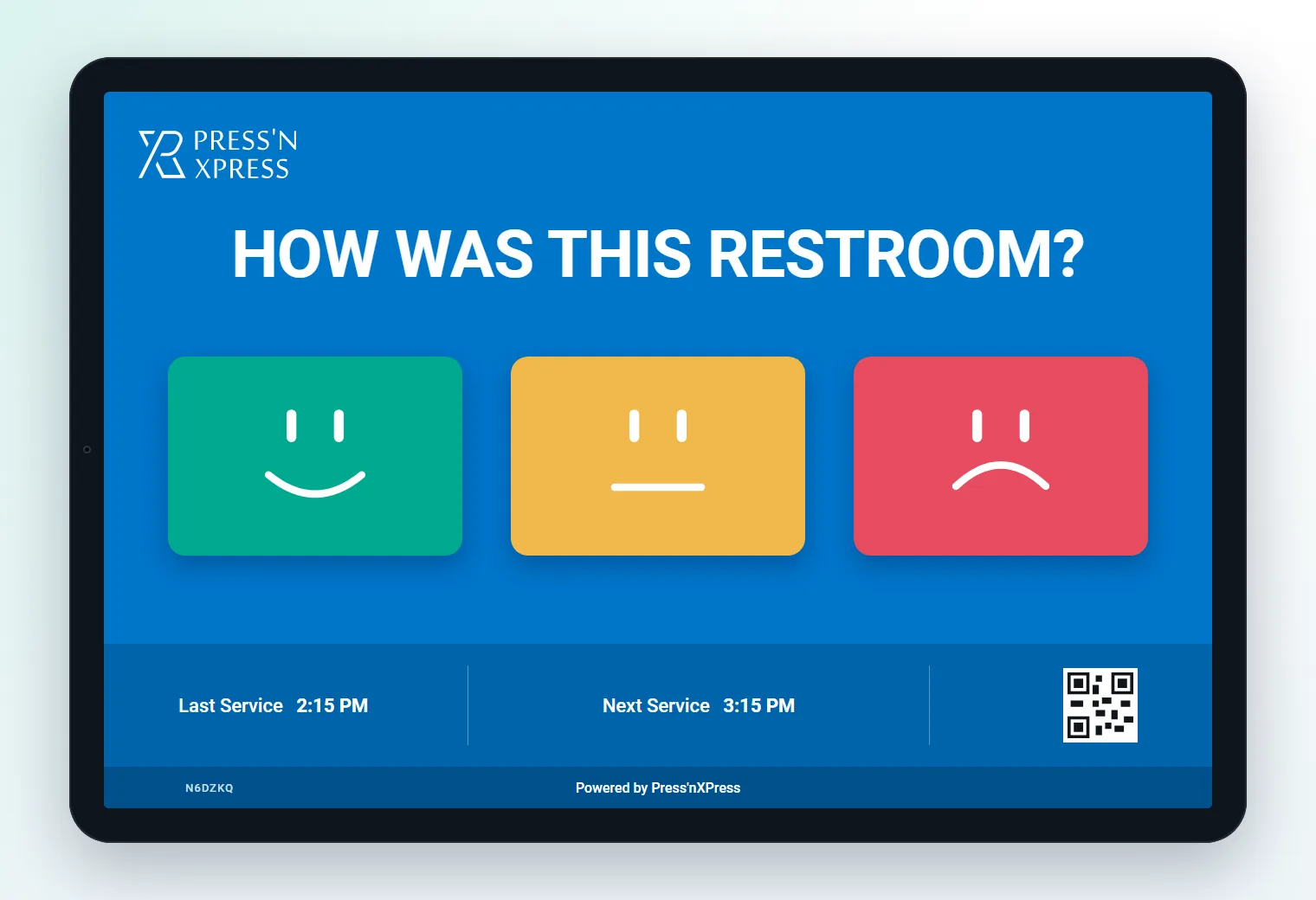
The PXP Feedback App runs on iOS and Android tablets and phones. Installed on a tablet at a fixed location, it becomes a self-serve feedback point that can collect:
- A quick smiley rating — the familiar one-tap format visitors understand instantly
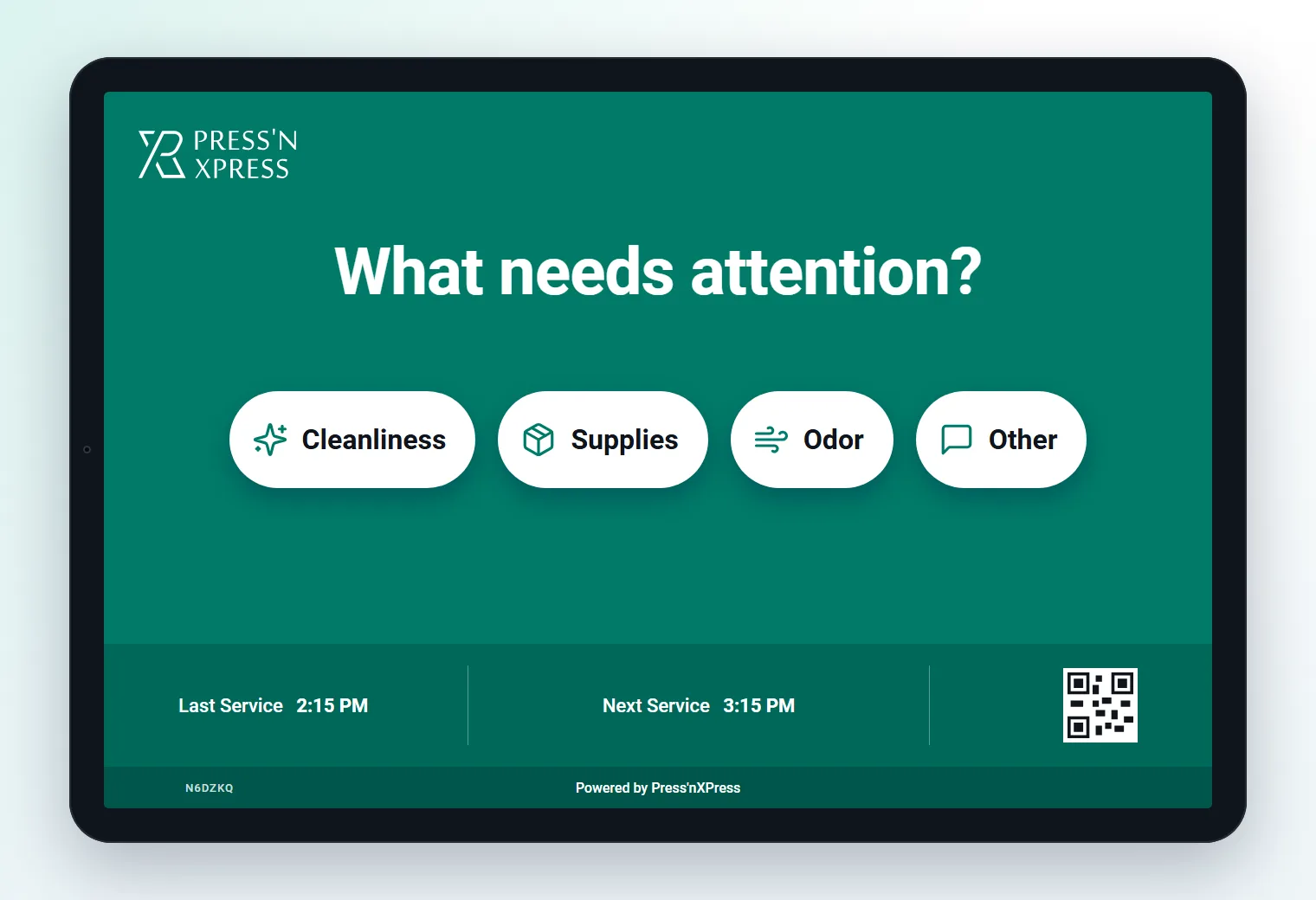
- A follow-up reason, such as out of supplies, needs cleaning, or maintenance
- An optional comment
- Contact details, when a visitor wants a reply
- Short multi-question surveys where more depth is useful
Every response lands in the same PXP platform as the rest of your collectors — the same dashboards, the same text analytics, and the same Action Hub alerts and work orders. A tablet isn't a separate system. It's another way into the same pipeline.
Why Tablets Fit Facility Services So Well
Fast to deploy. A tablet, a secure wall mount, and a power source are all you need. Sites can go live in days, not weeks — which matters when a new contract starts on the first of the month.
Lower upfront cost. Tablets are widely available, and some clients already own suitable devices. That makes it easier to pilot at a few restrooms before committing to a full rollout.
Reconfigurable per location. The questions at a washroom ("How clean is this restroom?") are different from the questions at a lobby ("How was your arrival?") or a break room ("How is the coffee station?"). Each tablet can run the survey that fits its spot, and you can change it centrally when the client's priorities change.
Portable when the contract changes. When a client adds a floor or shifts a service area, tablets move with the scope.
Familiar to everyone. Visitors know how to tap a screen. No instructions, no app download, no login.
Where Facility Teams Place Them
The most common placements we see:
Outside high-traffic restrooms and washrooms. The single most valuable spot. A visitor taps a smiley on the way out, picks a reason if something was wrong, and the facility team knows within seconds which restroom needs attention. Combine with a QR code on the door for visitors who prefer their own phone.
Lobbies and reception. First impressions of the building — cleanliness, security desk, wayfinding.
Employee break rooms and cafeterias. Facility services often includes pantry and catering upkeep; tenant employees are a key audience.
Service desks and mailrooms. Quick ratings on internal service quality.
Elevator banks and corridors. For campuses where common-area cleanliness is part of the SLA.
Each tablet is registered to a specific building, floor, and area, so every response — and every resulting work order — is attributed precisely. For more on why restroom feedback deserves its own strategy, see Your Restrooms Are Talking.
From Tap to Work Order
The tablet is only the front end. What makes it valuable for facility services is what happens next.
When a visitor reports that a washroom is out of supplies, the response flows into PXP Action Hub. Workflow rules decide whether it becomes an alert — for example, two supply complaints at the same restroom within 30 minutes. When a rule fires, PXP creates a work order, assigns it to the associate covering that area, and tracks it until it's closed. If your organization already runs a ticketing or maintenance system, PXP can push the ticket there through its API or Zapier integrations instead.
We cover this flow in detail in From Feedback to Work Order in Minutes.
One Device, Two Audiences
Facility services is a people business, and the same tablet that hears from visitors can support the team doing the work. Where a deployment is configured for it, associates can use the tablet at their area to log a cleaning round or check-in, giving supervisors a record of cleaning and attendance by associate, location, and facility. The same screen can show visitors when the area was last serviced and when the next round is due.
Put that next to visitor ratings and you get a much clearer picture:
- Did the 11:00 round at the level-3 washroom actually happen?
- Do restrooms rated poorly correlate with missed rounds, or with peak traffic despite completed rounds?
- Which associates and shifts consistently keep their areas rated highly — and deserve recognition?
That last point matters. Positive feedback routed back to the associates responsible is one of the most effective, lowest-cost ways to improve retention in deskless workforces.
The Reporting Facility Managers Actually Use
With tablets feeding the same platform as QR codes and kiosks, facility managers can see:
- Feedback score by restroom, ranked across a building or portfolio
- Issue mix by restroom — supplies vs. cleaning vs. maintenance
- Work orders by facility and restroom, including repeats
- Time to resolve and SLA compliance by work order
- Cleaning and attendance by associate, location, and facility
- Peak hours where scores dip and rounds should be adjusted
These views work at the level of a single washroom or across every client site — the same data, rolled up to the XPressScore™ dashboard leadership reviews.
Tablet, Kiosk, or QR? Usually All Three
Tablets aren't the answer to everything. In very high-traffic or harsh environments — a stadium concourse or a transit hub — a ruggedized Smiley Feedback Terminal may be the better choice. For low-traffic restrooms, a QR code alone may be enough.
Most facility deployments mix them: QR codes on every restroom door for coverage, tablets at the busiest washrooms and common areas for higher response rates, and kiosks where durability matters most. Because they all feed the same pipeline, the reporting doesn't care which collector a response came from.
A Simple Rollout Playbook
- Start at one client site. Pick five to ten of the busiest restrooms and two or three common areas.
- Mount tablets at the highest-traffic points and QR codes everywhere else.
- Configure questions per location — restroom-specific reasons for washrooms, arrival questions for lobbies.
- Set alert and work-order rules for the issues that matter most to the client.
- Review after four weeks: restroom scores, work orders, time to resolve, and round completion.
- Expand across the portfolio, using the pilot data to show the client the results.
The Bottom Line
For facility services companies, the PXP Feedback App on a tablet hits the sweet spot between speed, cost, and flexibility — and because it feeds the same alerts, work orders, and reporting as every other PXP collector, it turns a simple screen by the washroom door into part of how the service is delivered and proven.
Want to see the PXP Feedback App running on a tablet at one of your sites? Book a demo or contact us to plan a pilot.
Frequently Asked Questions
What is the PXP Feedback App?
The PXP Feedback App runs on iOS and Android tablets and phones. It collects smiley ratings, follow-up reasons, comments, contact details when needed, and multi-question surveys, and sends every response into the same PXP dashboards, alerts, and Action Hub workflows as PXP's other collectors.
Why use a tablet instead of a dedicated feedback kiosk?
A tablet is often faster and cheaper to roll out, can use hardware a client already owns, and can be reconfigured per site -- different questions for a washroom, a lobby, or a break room. Dedicated kiosks remain a strong choice for very high-traffic or harsh environments; many deployments mix both.
Where should facility teams place feedback tablets?
Common placements are outside high-traffic restrooms and washrooms, at building lobbies and reception, in employee break rooms and cafeterias, and at service desks. Each tablet is tied to a specific location so feedback, alerts, and work orders are attributed correctly.
Can tablet feedback trigger work orders?
Yes. Responses from the tablet flow into PXP Action Hub, where workflow rules can raise alerts and create work orders for the associate responsible for that restroom or area, or push tickets to an existing ticketing system through PXP's API or Zapier integrations.
 Press'nXPress Team