Integration

Connect feedback data to the systems your teams already use

PXP Integration connects feedback collection, analytics, alerts, and follow-up workflows with your existing business systems, so customer experience data moves where teams need it.

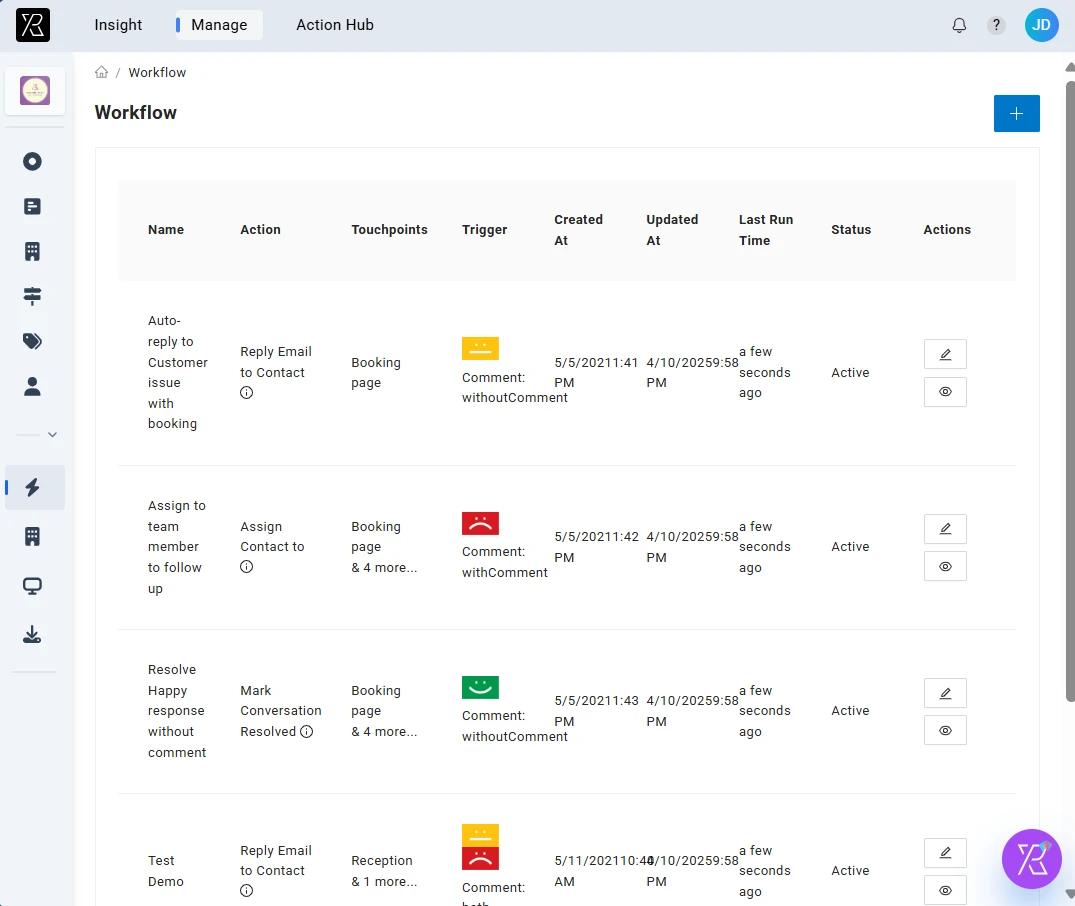
PXP integration and automation workflow
Connected Feedback Workflows

Automate feedback workflows across your tools

Use PXP Integration to send feedback data into reporting tools, trigger alerts, launch follow-up actions, and connect customer signals with operational systems.

Connect Business Systems
Link PXP with the tools your teams use for reporting, operations, service recovery, and customer communication.
Real-Time Data Sync
Move feedback, scores, comments, and status updates between systems as they happen.
Feedback Collection Triggers
Launch surveys or feedback requests after key events, visits, transactions, or service interactions.
API Access
Use API access to build custom integrations and move feedback data into your own workflows.
Automated Workflows
Trigger alerts, assignments, or follow-up tasks based on feedback rules and customer signals.
Instant Alerts
Notify the right team when critical feedback, low scores, or urgent comments are received.
What You Can Connect

Bring feedback into the systems that run your business

Connect through API, Zapier, Qualtrics, and custom workflows so PXP feedback data can move into the tools your teams already use.

CRM and Customer Records

Add feedback history and customer context to profiles your teams already manage.

BI and Reporting Tools

Send scores, comments, and trends into reporting dashboards.

Ticketing and Service Systems

Turn urgent comments and low scores into tickets or recovery tasks.

Messaging and Alert Channels

Notify the right people through the channels they already watch.

Operations and Location Systems

Connect feedback to location, team, shift, or service data.

Custom Internal Applications

Use API, Zapier, or custom workflows to fit your internal process.

How Integration Works

From feedback collection to connected action

For example, after a low CSAT score, PXP can create an Action Hub task, alert the location manager, and sync the result to your reporting system.

1

Collect

Capture feedback from kiosks, QR codes, SMS, email, web, or app channels.

2

Sync

Send feedback data, scores, comments, and metadata into connected systems.

3

Trigger

Start alerts, workflows, surveys, or follow-up tasks based on events and rules.

4

Report

Combine feedback with operational data to understand performance and customer experience trends.

Make feedback part of daily operations

Use integration and automation to move feedback signals to the people, systems, and workflows that can act on them.

Break Down Data Silos

Share feedback signals with the teams and tools that need them.

Automate Feedback Collection

Trigger feedback requests after transactions, visits, support interactions, or service events.

Connect CX and Operations

Combine satisfaction scores with location, team, transaction, and service data.

Reduce Manual Work

Automate routine data movement, alerts, and follow-up triggers.

Connect customer feedback to your operating systems

Book a demo to see how PXP Integration moves feedback data, alerts, and follow-up actions across the tools your teams already use.

Explore how integrations help teams automate collection, reporting, and closed-loop action.

Subscribe to our newsletter to stay in touch with the latest.

Markham, ON, CanadaLos Angeles, CA , United States
Blog|Pricing|FAQ|Privacy Policy|Terms of Use|Contact Us|