
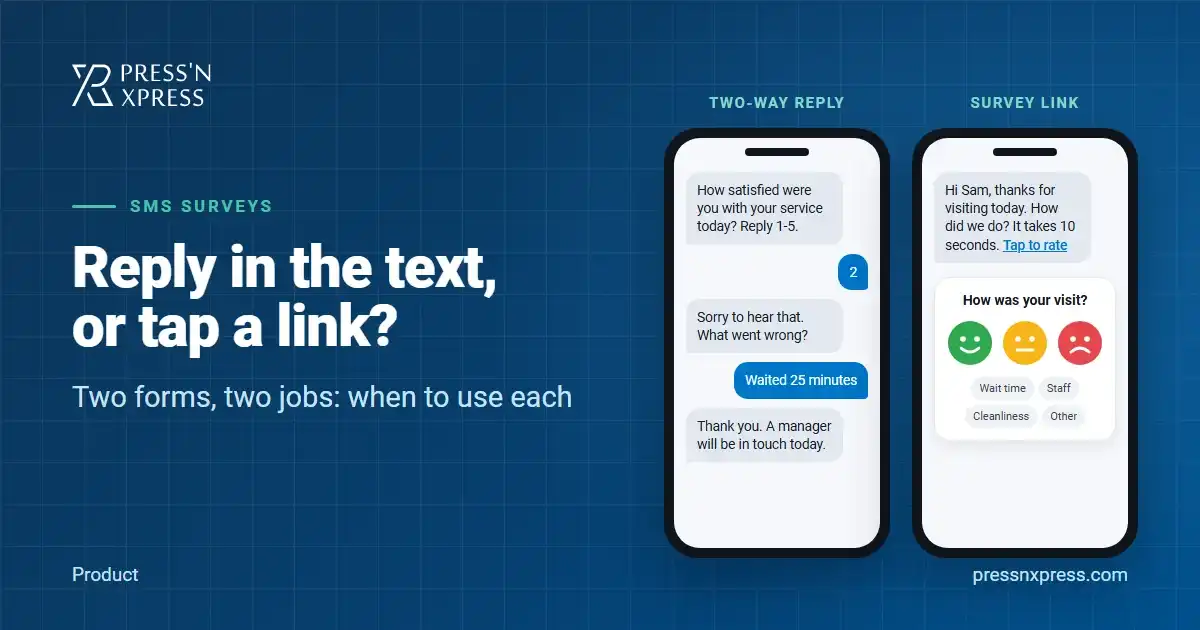
An SMS survey is a customer feedback request sent by text message. It comes in two forms. In a two-way SMS survey, the customer answers by replying to the text. In an SMS survey link, the text carries a link that opens a survey in the browser. Both reach the customer on the phone already in their hand, with no app to install.
The two forms are good at different things, and most teams that struggle with text surveys are using one where the other belongs. This guide covers how each works, when to use it, where WhatsApp fits, and what should happen when the reply is a bad one.
Two-way SMS: the customer replies in the thread
The message asks one question and the customer answers it by replying. For example:
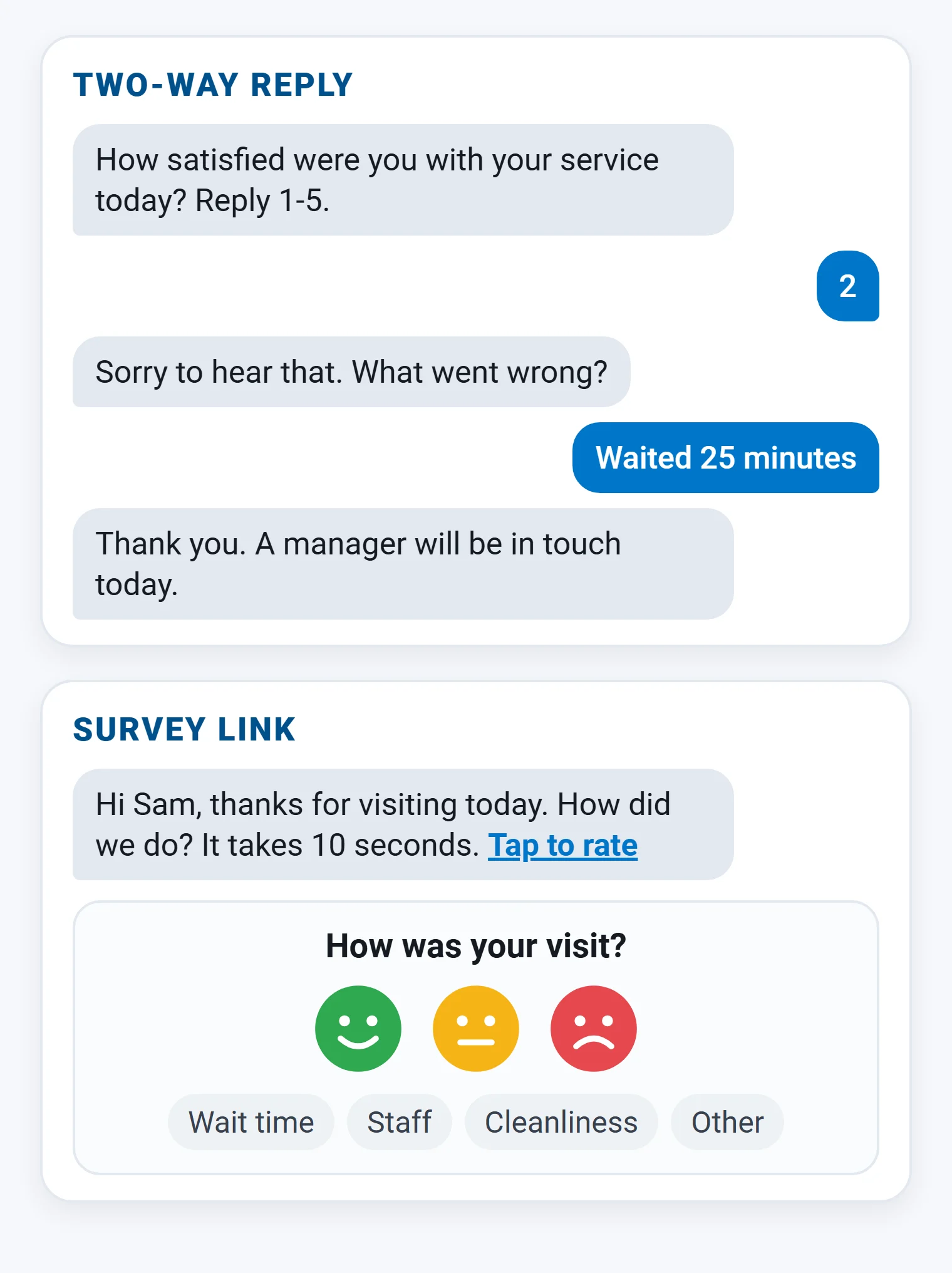
[Your business]: How satisfied were you with your service today? Reply 1-5.
A reply of "2" is the whole survey. A follow-up text can then ask for the reason, and the customer can answer in a word or a sentence. Nothing opens, nothing loads, and it works on any mobile phone.
Two-way SMS is strongest when:
- you want one fast rating right after an interaction;
- the customer should not have to open a browser or go through several steps;
- a low score needs to reach someone quickly, because a direct reply can raise an alert the moment it arrives.
Its limit is depth. Three or four questions by text start to feel like a chore, and free-text replies are harder to structure than tapped choices.
SMS survey links: the text opens a survey
The message carries a short link to a branded feedback flow. For example:
[Your business]: Hi Sam, thanks for visiting today. How did we do? It takes 10 seconds: [survey link]
Behind the link, the survey can be as short as one rating or as structured as you need: follow-up reasons, comments, contact details, and questions that only appear when they apply. In Press'nXPress these are built in the Survey Builder and attached to the SMS collector.
A link is the better choice when:
- you need several questions or a branded experience;
- you want structured answers, such as reason choices that can be reported on;
- different customers should see different questions after the same interaction.
Its limit is the extra step. Every tap between the message and the first answer loses some respondents, so the survey behind the link should still be short.
Two-way SMS vs survey link at a glance
| Two-way SMS | SMS survey link | |
|---|---|---|
| How the customer answers | Replies to the text | Taps a link, answers in the browser |
| Best for | One rating and a short reason | Several questions, structured data |
| Effort for the customer | Lowest | One extra tap |
| Branding | Plain text | Your branded survey |
| Typical moment | Delivery, pickup, closed support case | After a stay, an appointment, a purchase |
Neither form is the better survey. They answer different needs, and the choice follows from how much you need to ask and how quickly someone has to act on the answer. Many teams use both: a two-way text for the quick pulse, and a link where the feedback needs more structure. Press'nXPress SMS and WhatsApp feedback supports both forms.
Where WhatsApp fits
For many customers, WhatsApp is the messaging app they actually open, and that includes a large share of international guests and visitors. The same two forms exist there:
- A WhatsApp message with a survey link, which arrives under your business name and opens your branded feedback flow in one tap.
- Two-way feedback in WhatsApp, where the customer answers inside the chat.
That gives four modes in total: two-way SMS, SMS link, WhatsApp link and two-way WhatsApp. They share the same triggers, the same surveys and the same dashboard, so the channel can be chosen per customer or per location. WhatsApp messages should go only to customers who have opted in to hear from your business there. SMS is the option for customers who have agreed to be contacted by text.
When to send it and what to say
Timing
Timing matters as much as wording. The best moments are the ones where the experience has just ended:
- right after a delivery, pickup or fulfilment;
- after a visit, booking, consultation or scheduled service;
- when a support ticket, chat, call or complaint has been closed;
- after an event, to attendees or invited guests.
Requests can go out automatically when one of those events happens, in bulk to an uploaded list of mobile numbers, or one at a time from the dashboard when a team wants quick input.
Mind the clock as well as the trigger. A request that arrives the next afternoon asks the customer to remember, and one that arrives at 11 pm is an intrusion. If the event happens outside reasonable hours, hold the message until the morning.
Wording
- Say who you are in the first words. A text from an unknown sender asking for a rating gets ignored.
- Ask one clear question. "How satisfied were you with your service today?" beats "We'd love your thoughts".
- Tell the customer how to answer. "Reply 1-5" or "It takes 10 seconds" removes the hesitation.
- Keep it to one message. If it needs two, it needs a link.
- Go easy on reminders. If you send one, send only one, and check whether it brings in replies or only opt-outs.
Examples you can adapt
Replace the bracketed parts with your own details. These are starting points to test, not proven scripts.
After a delivery (two-way)
[Your business]: Your order was delivered today. How did we do? Reply 1-5, where 5 is excellent.
After a closed support case (two-way)
[Your business]: Your request [reference] is now closed. How well did we resolve it? Reply 1-5, where 5 is fully resolved.
After an appointment (link)
[Your business]: Thanks for coming in today, [first name]. Tell us how it went in 10 seconds: [survey link]
Follow-up to a low rating (two-way)
Sorry to hear that. What went wrong? Reply in a few words and a manager will follow up.
Three things are worth copying from these. The business is named first. Each message asks one thing. And each says exactly how to answer and what the scale means, so a "1" cannot be mistaken for first place.
How to tell whether your SMS survey is working
Three numbers are enough, and all of them should be counted from messages that were delivered, not from messages that were sent.
- Response rate: replies divided by delivered messages. If 400 messages are delivered and 72 customers reply, the response rate is 18%. That figure shows the sum; it is not a benchmark.
- Share of low ratings: low ratings divided by replies. Watch how it moves by location and by week more than the single number.
- Time to first follow-up: how long a low rating waited before someone contacted the customer.
Then change one thing at a time. Send the same message an hour earlier, reword the question, or add a single reminder, and compare the response rate over a few hundred delivered messages before deciding. What works for a delivery business may not work for a clinic, and your own numbers will settle it faster than any general rule.
What happens to a bad reply
This is where an SMS survey earns its place. A rating of 1 or 2 that sits in a report until Friday helps nobody. A rating that reaches the right person within minutes can still be recovered.
In Press'nXPress, a negative reply or survey response can open a work order in Action Hub. The assigned team member is alerted by SMS, email or WhatsApp, the issue has an owner and a deadline, and if it is not resolved in time it escalates to a supervisor by SMS or email. You set the target, for example that the customer who replied "2" hears back the same day. The reply, the follow-up and the outcome then sit together in one record. We describe that loop in detail in closing the loop on a service failure.
SMS alongside your other channels
Text is one way to ask, and it suits customers you can reach by phone number after the interaction. On site, a kiosk, a tablet or a QR code catches people in the moment without needing a number at all. If you are deciding between them, our comparison of kiosks, QR, SMS and voice covers when each one fits. Whichever you use, the responses should land in the same dashboard, so a score means the same thing wherever it was collected.
Getting started
- Pick one moment, such as a completed delivery or a closed support case.
- Choose the form: a two-way text if one rating is enough, a link if you need reasons and comments.
- Decide who is alerted when a low rating comes in, and how quickly they should respond.
- Add WhatsApp for customers who have opted in, using the same survey.
- Review after a month: response rate, share of low ratings, and how long each one waited for a reply.
Want to see two-way SMS, survey links and WhatsApp working from one platform? Book a demo and we'll map them to your customer journey.
Frequently Asked Questions
What is a two-way SMS survey?
A two-way SMS survey asks a question by text message and the customer answers by replying in the same thread, for example with a rating from 1 to 5 or a short comment. There is no link to open and no app to install. The reply is captured automatically and can trigger an alert when the rating is low.
When should I send an SMS survey link instead of a two-way text?
Use a link when you need more than one or two questions, a branded survey, or structured answers such as reasons, comments and contact details. Use a two-way text when you want one fast rating right after the interaction, with the fewest steps for the customer.
Can I run feedback surveys on WhatsApp as well as SMS?
Yes. Press'nXPress supports four modes: two-way SMS, an SMS with a survey link, a WhatsApp message with a survey link, and two-way feedback in WhatsApp. WhatsApp messages go to customers who have opted in to WhatsApp, and SMS is used for customers who have agreed to be contacted by text.
How soon after a visit should an SMS survey be sent?
As close to the interaction as you can: within minutes of a delivery, a pickup, a closed support case or the end of an appointment. The experience is easiest to recall then, and a low rating arrives while there is still time to put things right.
 Press'nXPress Team