
A guest finds the soup lukewarm, waits too long for the check and says nothing. The restaurant first hears about it that evening, in a public review, when it is too late to fix anything. Restaurant feedback software exists to move that signal earlier.
It collects ratings and comments from guests at the table, the counter, the exit or after a delivery. It alerts the manager on shift when a rating is low. And it compares locations, shifts and dayparts so you can see what to fix. When you compare tools, the useful question is not how many features each one lists. It is how quickly a problem reaches someone who can act, and whether the report tells you where it came from.
What restaurant feedback software is for
Strip away the feature lists and the software does three jobs:
- Collect. Ask guests how the visit went, in the place and at the moment they can answer easily.
- Alert. Get a low rating to the person who can do something about it, fast enough to matter.
- Compare. Show which location, shift or station is behind the scores, so the fix goes to the right place.
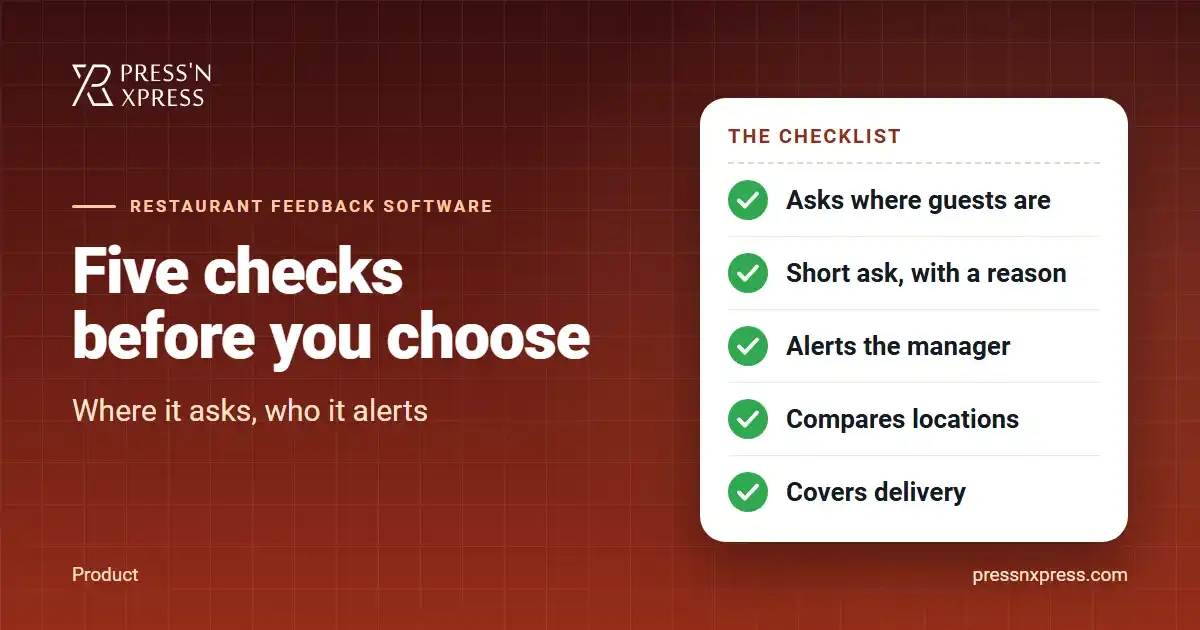
The dashboard is the easiest part to show in a demo, so the third job gets the most attention. The second job is the one to test hardest, because a score nobody acts on in time is a record of a missed recovery. The five checks below follow those three jobs, and each ends with something you can ask a vendor to show you.
1. It asks where the guest already is
The best moment to ask depends on how you serve. A full-service restaurant has a table and an exit. A counter-service restaurant has a pickup point and a receipt. A delivery order has neither.
| How guests are served | Where to ask | What it can look like |
|---|---|---|
| Table service | At the table, host stand or exit | A QR code on the table or check presenter; a smiley terminal at the exit |
| Counter or quick service | Counter, pickup point or receipt | A terminal at the counter; a QR code printed on the receipt |
| Takeout and delivery | After the order arrives | A code on the bag or receipt; an SMS or email after the order |
| Washrooms | At the door | A one-tap terminal or QR code |
Check which of these a vendor covers. Some tools are hardware-only smiley devices, and they cannot reach a delivery guest. Others are digital-only survey tools, which depend on the guest scanning a code or opening a message. A restaurant with a dining room and a delivery channel needs a way to reach both, so look for a platform where the on-site collectors and the digital ones report into the same place.
The on-site side is a smiley feedback terminal at the exit or counter, where a guest rates the visit as happy, neutral or sad in one tap. The digital side starts with QR code and tap feedback, a code on tables, receipts or bags. Each collector carries its own location and placement, so a washroom rating is not mixed up with a dining room one.
Ask the vendor: "Show me how a dine-in guest, a counter guest and a delivery guest would each give feedback, and where all three appear."
2. It keeps the ask short and captures the reason
A rating on its own tells you a guest was unhappy. It does not tell you whether the food, the wait or the server was the cause. For a restaurant, a useful survey can be short: one overall rating of the visit, a tap on the main reason (food quality, temperature, speed, accuracy, staff or cleanliness) and an optional comment.
Every extra step is one more place for a guest to stop, so count the steps. Ask to see the guest's screen from first tap to thank-you, and test it yourself on a phone. If the vendor's flow needs a login, an app download or a long form, find out in a pilot what that does to your response numbers.
Short does not have to mean shallow. An exit terminal keeps to one quick question, while a longer survey can sit behind a QR code, a tablet, an SMS or an email, and both report to the same dashboard. Press'nXPress builds the longer surveys in its Survey Builder, with follow-up questions that appear only when they apply, for example "What went wrong?" after a sad rating.
Ask the vendor: "How many taps does a guest need, and can the reason be captured without typing?"
3. A low rating reaches someone who can act
This is the check that decides whether the software changes anything on the floor. When a guest gives a low rating, three questions matter.
- Who is told? The manager on shift at that location, not a shared inbox that someone reads on Monday.
- How fast, and how? By SMS, email or WhatsApp, with the location, the reason and the time attached.
- What if nobody responds? The issue should have an owner and a deadline, and escalate to a supervisor by SMS or email if it is not handled.
In Press'nXPress this is Action Hub. A low rating or negative comment can open a work order for the location's owner, who is alerted by SMS, email or WhatsApp. If it passes its target time, a supervisor is alerted. You set the target; the software tracks it and keeps the record. Alerts can also be set to fire on a pattern, such as a set number of negative ratings in a row at one location, which is useful for a problem like food temperature during a rush.
Treat thresholds as an addition to your normal checks, not a replacement. An alert does not replace walking the pass.
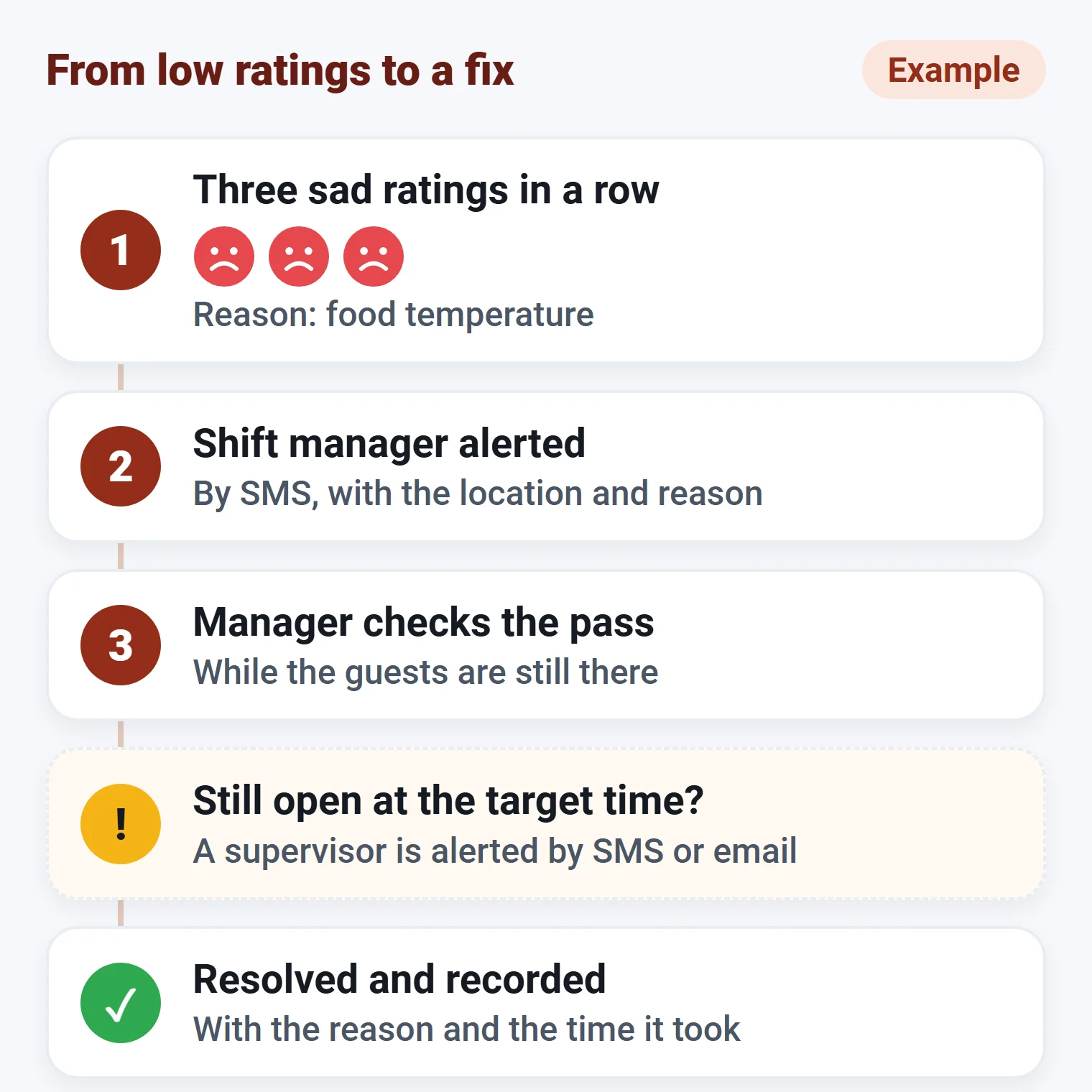
The guest is still in the building, the manager knows why they are unhappy, and a cold plate can be replaced. We cover the dining-room side in catching the bad meal before the bad review. Whether it prevents a given review depends on how your team responds, which is why response time is worth measuring rather than assuming.
Ask the vendor: "A guest gives a sad rating at 8 pm on a Saturday. Show me who is alerted, how, and what happens at the deadline."
4. It shows every location and daypart on one screen
Once feedback is flowing, the report decides whether you learn from it. For a group, the first need is to compare locations on the same questions. For a single restaurant, it is to see which hours and areas are slipping.
In the Press'nXPress dashboard, every location can be ranked on the same questions, with a day-and-hour heatmap that shows when guests are least happy, such as a weekday lunch rush. Scores can be split by area, so dining room, counter and washroom sit side by side. Comments are sorted by sentiment and theme, and PXP AI answers plain-language questions, for example "Which locations had the most complaints about food temperature at lunch this week?"
A few things to check in any report:
- Response counts are visible. An average from 40 responses and an average from 400 are not equally reliable, so the report should show how many answers sit behind each score.
- Same questions across sites. Rankings only mean something when every location is asked the same thing.
- Daypart and shift filters. Breakfast, lunch, dinner and late shifts can need different fixes, and one blended number hides that.
- Readable comments. Scores say where to look; comments say what happened.
Ask the vendor: "Show me last week's lunch scores for three locations, with the number of responses behind each."
5. It covers receipts, takeout and delivery
Guests who never sit down still have an opinion, and a dining-room-only tool misses them. Two things matter here.
First, the receipt. A point-of-sale system can print a unique feedback code on each receipt, and the order details you choose to include travel with the rating. That lets you read feedback by order, location and daypart rather than as one anonymous pile. Ask whether the vendor can do this with your POS, and what is needed on your side.
Second, the message channels. After a takeout or delivery order, the guest can be asked by message. Press'nXPress supports four modes: two-way SMS, where the guest replies in the text thread; an SMS with a survey link; a WhatsApp message with a survey link; and two-way WhatsApp. Send WhatsApp messages only to guests who have opted in to hear from you there, and use SMS or email for the rest. All of it reports next to dine-in on the same dashboard.
Ask the vendor: "Show me a delivery guest's feedback sitting beside a dine-in guest's, from the same location."
Questions to ask any vendor
Put the same questions to every tool on your shortlist.
| Question | What a good answer shows |
|---|---|
| Where can guests give feedback? | Table, counter, exit, washroom, receipt and delivery, all reporting together |
| How many steps for the guest? | A live walk-through: one rating, one reason, done |
| Who is alerted on a low rating? | A named owner per location, by SMS, email or WhatsApp |
| What if nobody responds? | Escalation to a supervisor and a record of the outcome |
| Can I compare locations and dayparts? | The same questions ranked, with response counts shown |
| Does feedback tie to the order? | Order, location and daypart attached to each rating |
| Is delivery covered? | Message or code-based feedback beside dine-in |
A fair note on fit. Some operators only need one piece, such as a single device at the exit, and a narrower tool can be enough. Press'nXPress is built for restaurants that want the collectors, the alerts and the comparison in one platform; the restaurant solution page shows how that looks for dine-in, takeout and delivery.
Run a four-week pilot before you commit
A demo shows what is possible. A pilot shows what your guests and your team will actually do. Keep it small.
- Pick two or three locations, ideally one busy and one quiet, so the pilot is not judged on your easiest site.
- Use two collection points at most, for example the exit and a receipt code, and one message channel for delivery.
- Name the alert owner for each location before the first day, and agree the target time for a first response.
- Track four numbers each week: responses received, the share of sad ratings, the time from a sad rating to a first response, and how many comments led to a change on the floor.
- Compare with your reviews. Note which problems the software caught first, and which reached a public review before the team heard.
Do not judge on the response count alone. A tool that collects fewer answers but reaches the manager faster may do more for you, and your own four weeks of data will say so better than any vendor claim.
Getting started
- Write down your service styles (dine-in, counter, takeout, delivery) and the moment each guest is easiest to ask.
- Shortlist two or three tools and put the vendor questions above to each one.
- Decide who is alerted at each location and what counts as a timely response.
- Run the pilot at two or three locations for four weeks.
- Review the four numbers and choose the tool that got problems to the right person fastest.
Want to see how a restaurant setup works across tables, receipts and delivery? Book a demo and we'll show you the dashboard set up for your locations and dayparts.
Frequently Asked Questions
What is restaurant feedback software?
Restaurant feedback software collects ratings and comments from guests at the table, the counter, the exit or after a takeout or delivery order, alerts the manager when a rating is low, and compares locations, shifts and dayparts in one dashboard. Its purpose is to let a restaurant hear about a problem while it can still be fixed.
What features should restaurant feedback software have?
Look for five things: collection points that match how you serve guests (table, counter, exit, receipt, delivery), a short survey that captures the reason behind a rating, alerts that reach the manager on shift with an owner and an escalation path, a dashboard that compares locations and dayparts on the same questions, and coverage of takeout and delivery as well as dine-in.
What should a restaurant measure in a feedback software pilot?
Run the pilot at two or three locations for about four weeks and track four numbers each week: responses received, the share of sad ratings, the time from a sad rating to a first response, and how many comments led to a change on the floor. Then compare with your online reviews to see which problems the software caught first.
How do I check whether restaurant feedback software works with my POS?
Ask the vendor to show a printed receipt with its own feedback code for each order, and which order details, such as location, items or amount, travel with the rating. Ask what your POS provider has to set up, and test it at one location before rolling it out.
 Press'nXPress Team