
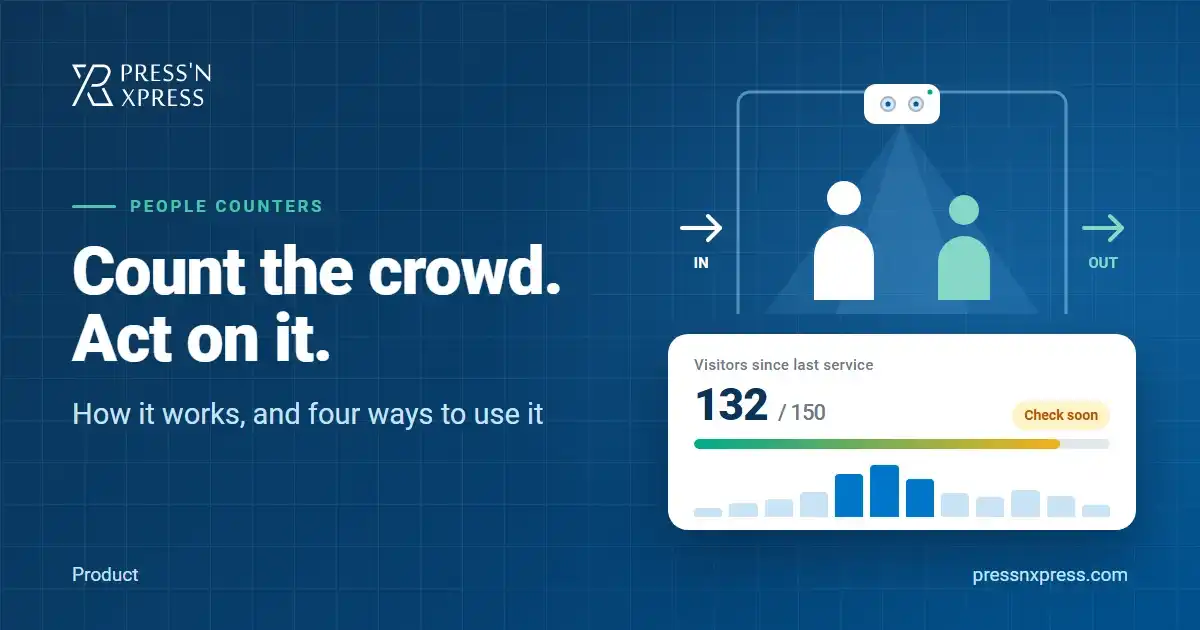
A people counter is a sensor mounted above or beside an entrance that counts how many people walk in and out. It goes by several names (footfall counter, foot traffic counter, visitor counter, people counting sensor), but the job is the same: turn "it felt busy today" into a number by hour, by door and by site.
Counting is the easy part. A daily total on its own rarely changes a decision. This guide covers how footfall counting works, how to choose a sensor, how to check that the count is right, and the four decisions that make the numbers worth collecting.
People counter, footfall counter, foot traffic sensor: the same device
The vocabulary depends on where you are and what you run. Retailers and UK operators tend to say footfall counter or footfall counting. North American facilities and property teams say people counter or foot traffic counter. Hardware suppliers talk about people counting sensors. Venue and museum teams often say visitor counter.
If you are comparing products, treat these as one category and compare on what matters: how the sensor counts, where it can be mounted, and what happens to the data afterwards.
How footfall counting works
Every counter answers one question at an entrance: did someone pass? Many also answer a second: in which direction? The main approaches differ in how they detect that.
- Infrared beam counters send a beam across a doorway and count each interruption. They are inexpensive and simple, and they suit a single door where people pass one at a time. A single beam counts crossings without telling arrivals from exits.
- Thermal sensors detect body heat from above. They count without capturing any image, which makes them a fit for privacy-sensitive spaces.
- Time-of-flight and 3D sensors measure depth from overhead, so they can separate two people walking side by side and tell an adult from a trolley. They suit wide, busy entrances.
- Camera-based counters analyse video. They can be very capable in large spaces, but they raise privacy questions and are usually ruled out for restrooms, changing areas and clinical settings.
- Wi-Fi and mobile signal counting estimates crowd levels from nearby devices. It is useful for trends across a large venue, less so for an exact count at one door.
Two features matter more than the underlying technology. The first is bidirectional counting: a sensor that separates arrivals from exits gives you visits and not just crossings, and it is the starting point for estimating how many people are inside. The second is how the count leaves the building: a counter that needs wiring and a place on the corporate network becomes an IT project, while a battery-powered sensor with its own wireless gateway can go up in minutes.
How to choose a people counting sensor
Start with the entrance, then work back to the sensor.
- How wide is the opening? A restroom door, a room entrance or a corridor needs a compact doorway counter. A lobby, mall entrance or terminal concourse, where people walk three abreast, needs a wide-area counter.
- Is the space privacy-sensitive? If it is a restroom, a clinic or a staff area, choose a sensor that captures no images at all.
- Is there power and network at the door? If not, look for battery-powered sensors that run for years and report over a dedicated gateway.
- Do you need live occupancy? If capacity limits or queue build-up matter, you need bidirectional counting at every way in and out, not only at the main door.
- Where will the numbers go? A count that lives in its own portal is rarely looked at. A count that sits next to your feedback, alerts and service records gets used.
The Press'nXPress people counter comes in a doorway and a wide-area version. Both are anonymous, battery-powered and independent of the corporate network, and both report into the same dashboard as the feedback from that location.
Footfall is not the same as occupancy
Footfall is how many people came through an entrance over a period. Occupancy is how many are inside right now. A counter measures the first directly. The second is an estimate: arrivals minus exits, added to however many people were inside when counting started.
That estimate only holds when three things are true:
- every way in and out is counted, including side doors and staff entrances;
- each sensor separates arrivals from exits;
- the running total is reset at a known point, usually to zero when the space is empty overnight.
Small errors add up over a day, so an occupancy figure drifts in a way a visit count does not. If you rely on it for capacity limits, compare it with a head count from time to time. For staffing, cleaning and comparing sites, visits by hour are enough, and they are the more dependable number.
How to check a footfall counter's accuracy
No sensor needs to be taken on trust. A short manual check tells you how far to rely on it.
- Pick a busy period, not a quiet one. Counters are most likely to miss people when they arrive in groups.
- Count by hand for 15 to 30 minutes at the entrance, arrivals and exits separately, and note the start and end time.
- Compare with the sensor's count for the same minutes.
- Look at when the error appears. A sensor that undercounts at the peak is usually too narrow for the entrance, or mounted where people pass side by side.
- Repeat after any change to the entrance, such as a new door, a barrier or a moved display.
A count that is consistently a little low is still useful for comparing hours and days. A count that is right when it is quiet and wrong when it is busy is not, because the busy hours are the ones you are trying to manage.
Four things to do with the numbers
1. Set every score against real visits
Ten complaints about a restroom mean one thing after 200 visitors and something very different after 2,000. Without a visitor count, there is no way to know whether a rise in negative ratings is a service problem or simply a busy day.
With a count beside each feedback point, raw totals become rates: responses per 100 visits, and complaints per 1,000 visits. A counter records visits, not individual people, so someone who comes in twice is counted twice. Rates are what make a quiet site and a flagship site comparable.
2. Staff to the peaks, not the roster
Fixed rosters assume every hour is alike. Hourly footfall shows that it isn't. In retail, traffic by hour and by entrance shows when the floor needs more people and when the tills will queue. In a restaurant, it shows covers by hour. In a waiting room, it shows when the load builds.
Put ratings by hour next to traffic by hour and look for a lag. Complaints often follow the crowd instead of arriving with it: the lunch rush is when supplies run out, and the bad ratings can land after it. How long that gap is at your site is something your own hourly data will show.
3. Service by visitor count, not only by the clock
This is the use that changes daily operations the most. Keep a baseline schedule, and add a visitor threshold to it: after a set number of people have passed through since the last check, the space is flagged for service, however recently the last round was.
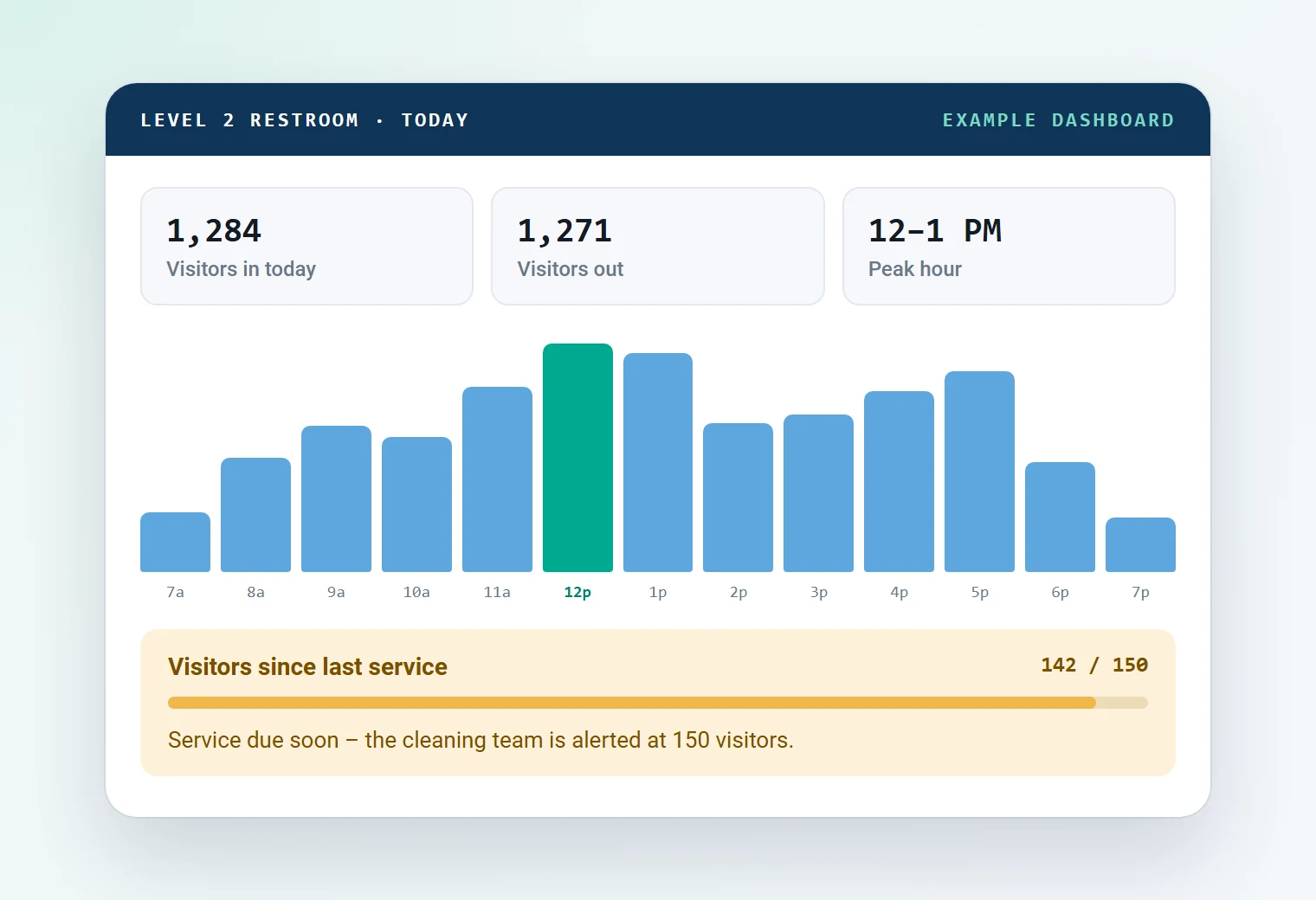
In Press'nXPress, reaching the threshold raises an alert or opens a work order through Action Hub, and the assigned team member is notified by SMS, email or WhatsApp. When they confirm the service on site, the count resets, so the next alert is measured from the real last visit. A busy space gets attention before anyone presses the red button, and the time saved on a quiet one can go where the traffic is, while the minimum schedule still stands.
The same approach works wherever demand is uneven: restrooms, staff break rooms, cafeterias and self-service food areas such as workplace micro markets, where a busy lunch can empty a cooler an hour before the next scheduled round. We cover the restroom case in detail in usage-based cleaning.
4. Compare locations fairly
Every sensor is tied to a location, so entrances, floors, buildings and sites can be compared by hour, by day of week and by period. For multi-site operators and facility services contractors, that turns a contract review from "we had fewer complaints" into "complaints per 1,000 visitors fell, and here is the traffic to prove it".
Where people counters are used
- Retail: footfall by hour and entrance, staffing matched to peaks, and store-to-store comparison.
- Facilities and property: lobby, floor and amenity usage, restroom servicing by use, and evidence for space planning.
- Airports and transport hubs: flow through concourses and gate areas, and restroom usage by concourse.
- Healthcare: waiting-room load by hour and visitor washroom usage, counted without images.
- Workplace dining and catering: cafeteria flow by meal period, and checks triggered when a service area gets busy.
Common mistakes
- Counting only at the front door. The total for the building rarely helps the team responsible for one restroom or one counter. Count where the decisions are made.
- Collecting totals with no threshold. A number nobody is asked to act on stops being read. Decide what count should trigger a check before you install.
- Keeping traffic and feedback apart. The two explain each other. Separately, each one leaves you guessing.
- Choosing a camera where a count is enough. If all you need is in and out, an anonymous sensor avoids the privacy conversation entirely.
Getting started
- Pick two or three spaces where demand is uneven: a busy restroom, a main entrance, a cafeteria.
- Match the sensor to each entrance, doorway or wide-area.
- Check each sensor against a hand count during a busy period.
- Set one threshold per space, alongside the existing schedule, and decide who is alerted when it is reached.
- Review after a few weeks: traffic by hour, ratings by hour, and how long each flagged space waited for service.
A people counter on its own tells you how busy you were. Connected to feedback and to the team who can act, it tells you where to be next.
Want to see foot traffic next to feedback for your own locations? Book a demo and we'll plan sensors and thresholds with you.
Frequently Asked Questions
What is the difference between a people counter, a footfall counter and a foot traffic sensor?
They are three names for the same thing: a sensor at an entrance that counts how many people pass through. 'Footfall counter' is the common term in the UK and in retail, 'people counter' and 'foot traffic counter' are more common in North America, and 'sensor' usually refers to the hardware itself.
Do people counters use cameras?
Some do and some don't. Camera-based counters analyse video, while beam, thermal and time-of-flight sensors count without capturing images. Press'nXPress people counters record anonymous in and out counts only, with no cameras and no images, so they can be used at restrooms, clinics and other privacy-sensitive spaces.
How accurate is a footfall counter?
Accuracy depends on the sensor type and the entrance. A compact doorway counter is reliable on a single door or corridor. A wide entrance where people walk side by side needs a wide-area counter that can tell them apart. Choosing the sensor to fit the entrance matters more than any headline accuracy figure. To check a counter, count by hand at a busy time for 15 to 30 minutes and compare the result with the sensor's count for the same minutes.
What can you do with people counting data?
The four most common uses are measuring conversion or response rates against real visits, matching staffing to peak hours, comparing locations fairly by using rates per 1,000 visitors, and triggering a cleaning or service check after a set number of visitors, in addition to a baseline timetable.
 Press'nXPress Team