Interactive Feedback Kiosks
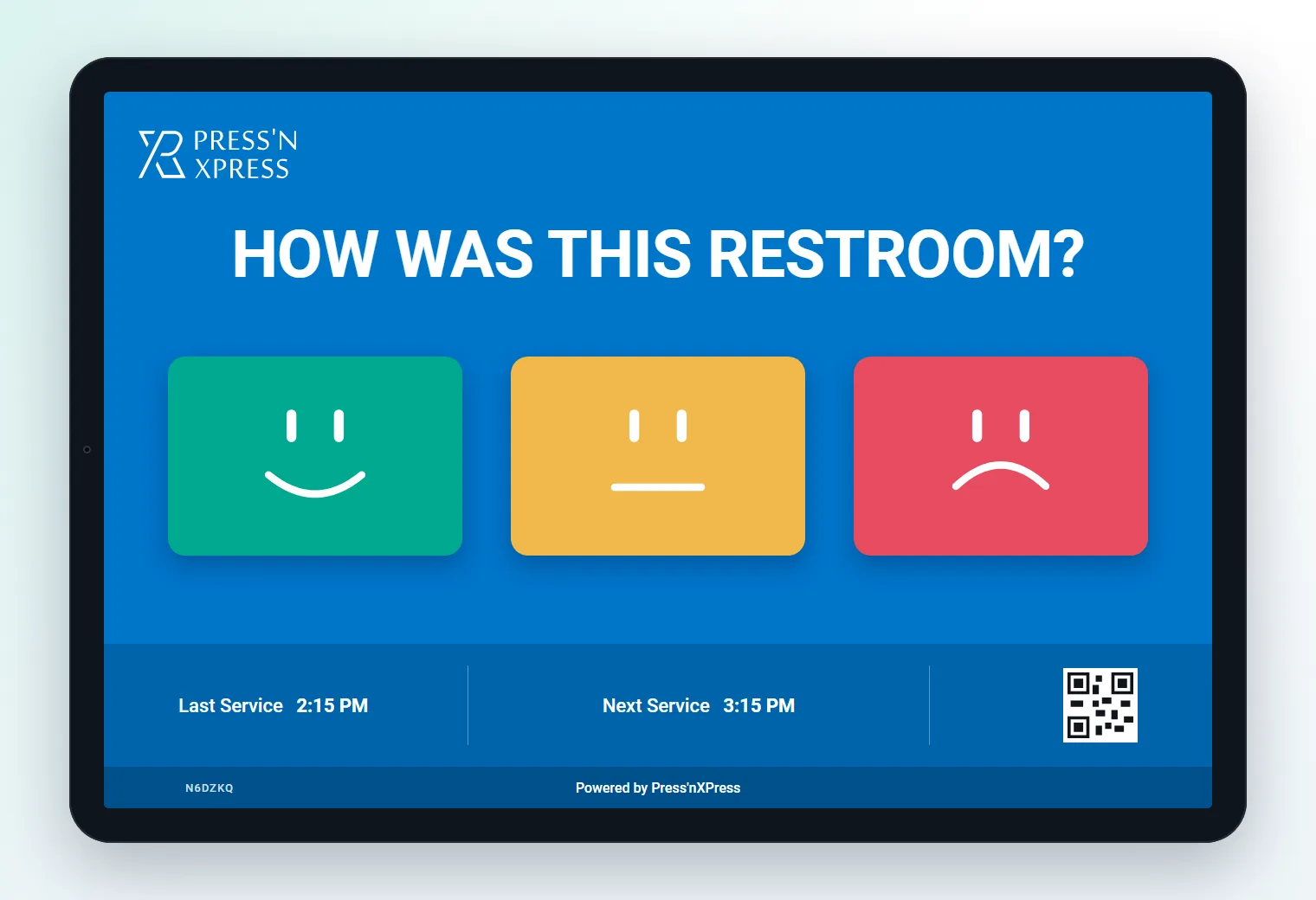
Interactive Feedback Kiosks on a Tablet
Turn a wall-mounted tablet into a branded touchscreen survey that asks the right questions, in the right language, at the right moment - and sends every answer straight to the team that can act on it.
- Runs on standard iOS and Android tablets
- Multi-question surveys with issue tags
- Your branding, in any language
- Live results, alerts and work orders
- Years helping operators listen
- 10+
- Corporate clients across six industries
- 75+
- Feedback signals captured in the moment
- 12M+
Trusted by teams at





How It Works
How an interactive tablet kiosk works
- 1
Mount a tablet
Use a tablet you own or a new one, on a wall, counter or stand, and install the PXP Feedback App.
- 2
Design the survey
Choose the questions, issue tags, branding and languages for each location from the dashboard.
- 3
Visitors tap and go
A rating first, a follow-up only when it helps, and a comment if they want to say more.
- 4
Act on what comes in
Results appear live, and low scores alert the right person by SMS, email or WhatsApp.
Follow-Up Screens
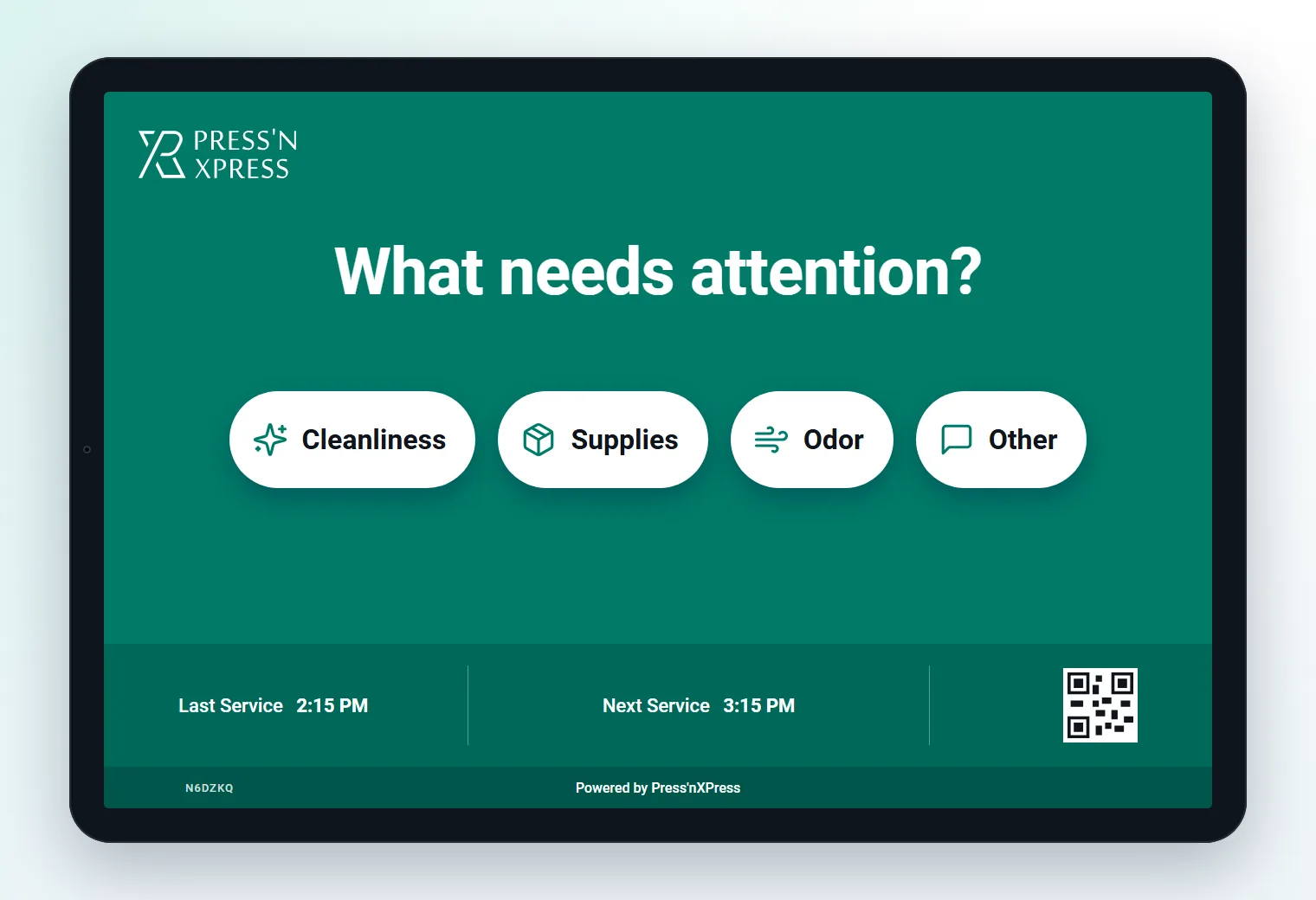
More than a rating: ask what needs attention
After a low score, the tablet shows a follow-up with issue tags and icons, so visitors can say exactly what went wrong in one more tap. The reason travels with the alert, so the right person goes - with the right fix.
- Issue tags such as cleanliness, supplies, wait time or staff
- A follow-up only after a low score
- Last-cleaned or service times on screen
Built In
What a touchscreen survey kiosk should do
Branded screens
Your logo, colours and wording, so the kiosk feels part of the space.
Multi-question flows
Ask more than one question, with branching follow-ups based on the score.
Any language
Show each location's questions in the languages its visitors speak.
Remote management
Change questions and screens for one tablet or the whole fleet from the dashboard.
Staff check-ins
The same tablet lets staff log a verified check-in, such as a cleaning round.
Alerts and work orders
Low scores open a work order with the reason attached, with SLA escalation.
Compare
Tablet kiosk or smiley terminal?
Many sites use both: terminals at the busiest exits, tablets where a richer answer is worth one more tap.
| Dimension | Smiley terminal | Tablet kiosk |
|---|---|---|
| Questions | One question plus a follow-up | Multi-question, branded |
| Answering | Touchless hover | Touchscreen taps |
| Power and connection | Battery over a year, built-in SIM | Tablet power, Wi-Fi or mobile data |
| On-screen extras | Digital question screen | Branding, icons, last-cleaned time |
| Best for | Busy exits, washrooms, counters | Entrances, front desks, wards, offices |
PXP AI
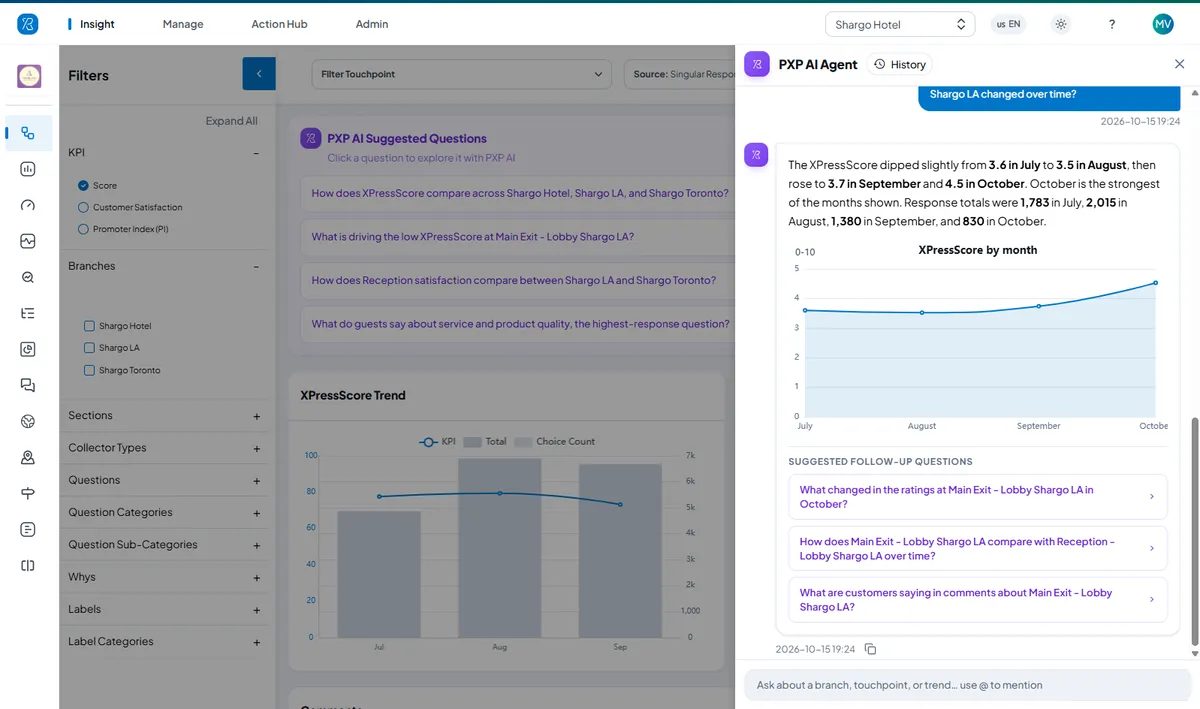
Ask your feedback data a question
Every tablet response feeds the Press'nXPress dashboard, where PXP AI answers questions in plain language - what is driving a low score, how a location changed over time, what customers are saying - with a chart and follow-up questions.
Use Cases
Where interactive feedback kiosks fit
- FacilitiesSmart Restroom ManagementUsage-based cleaning, verified check-ins and automatic work orders.
- HealthcarePatient & Facility ExperienceReal-time patient feedback across clinics, wards and washrooms.
- Food ServicesCorporate & Campus CateringDaily meal feedback, menu by menu and site by site.
- Facility ManagementFacility Services ExperienceSLA-grade evidence at every client site.
- TransportationAirport Passenger JourneyEvery step from parking to gate, measured and ranked.
- RetailRetail Conversation IntelligenceTurn everyday store conversations into operational insight.
- Retail & HospitalityQuick Voice FeedbackScan, speak, done - routed to staff before customers leave.
- Contact CenterVoice Feedback IntelligencePost-call feedback that drives coaching and recovery.
Interactive feedback kiosk FAQs
What is an interactive feedback kiosk?
An interactive feedback kiosk is a touchscreen - usually a wall-mounted or stand-mounted tablet - that runs a short, branded survey. Visitors rate their experience, answer a follow-up if needed and can leave a comment, and every response is recorded with its location and time.
Can I use my own tablets as feedback kiosks?
Yes. The PXP Feedback App runs on standard iOS and Android tablets, so you can use hardware you already own or new tablets mounted on a wall, counter or stand.
How many questions can a tablet kiosk ask?
As many as you need, but the best tablet surveys stay short: a rating first, then a follow-up only when the score is low. The app supports multi-question flows, issue tags with icons, comments and your branding.
When should I choose a tablet kiosk over a smiley terminal?
Choose a tablet where a richer answer is worth one more tap - branded entrances, hotel front desks, hospital wards and offices - or where you want to show information such as a last-cleaned time. Choose a touchless smiley terminal for the highest volume at busy exits, or where there is no power or Wi-Fi.
Does the tablet kiosk work in other languages?
Yes. Questions can be set up in any language, so each site can ask in the languages its visitors speak, with every response in one dashboard.
Keep exploring
Start With a Pilot. Scale When It Proves Itself.
We deploy PXP at a focused set of locations, show you what the feedback reveals, then roll out to more locations and touchpoints with you. Our Customer Success team supports you from pilot to rollout.
- Pilot at a few locations first
- Help choosing terminals for each site
- No hidden fees
- Surveys in any language