Smiley Feedback Terminal
The Smiley Terminal Visitors Actually Use
Three faces, one second, no touching. The Press'nXPress smiley terminal captures a rating from almost everyone who walks past - and turns low scores into alerts your team can act on while the visitor is still nearby.
- Touchless: hover a hand over a face
- Battery lasts over a year - no cabling
- Built-in SIM - no Wi-Fi or IT setup
- Change the question remotely, any time

- Years helping operators listen
- 10+
- Corporate clients across six industries
- 75+
- Feedback signals captured in the moment
- 12M+
Trusted by teams at





How It Works
How a smiley feedback terminal works
Simple enough for a visitor in a hurry, detailed enough to run operations on.
- 1
Visitors rate in a second
A clear question on the screen and three faces. Hover or press - no app, no login, no queue.
- 2
A follow-up after a low score
Ask what went wrong with issue tags or an A-B-C choice question, so you know the reason, not just the score.
- 3
Results appear live
Every rating lands on the dashboard with its location and time, ready to compare by site, hour and day.
- 4
Low scores trigger action
Thresholds open a work order and alert the right person by SMS, email or WhatsApp, with SLA escalation.
Formats
Smiley terminal formats for every location
The same terminal, mounted the way your space needs it.
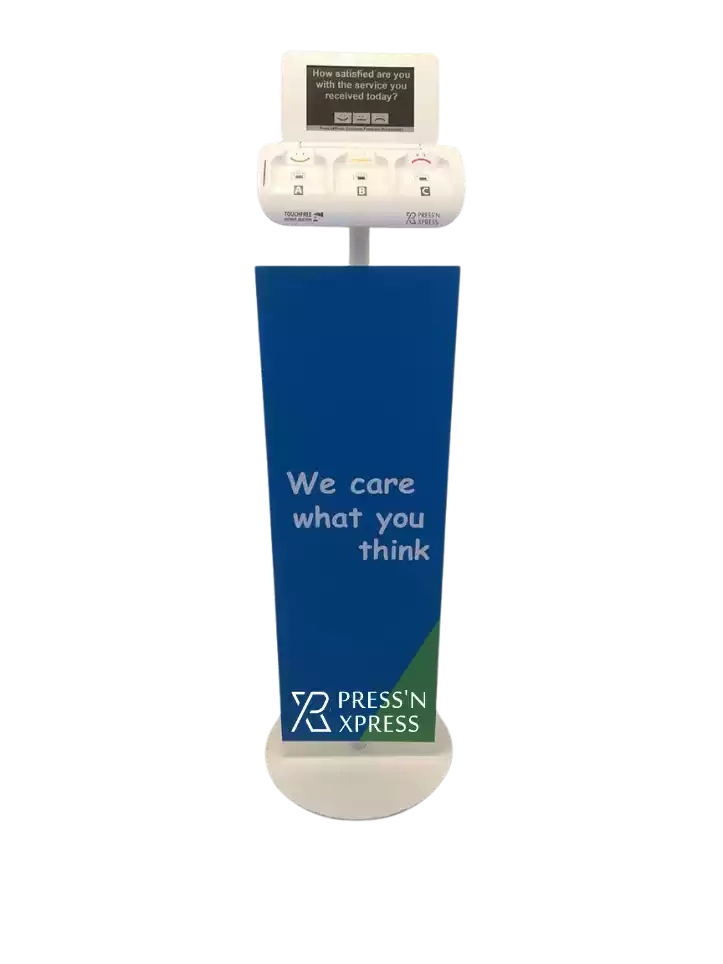
Floor stand
Tall, eye-catching and easy to move between areas, with a custom branded panel.
- Entrances, lobbies, store exits
- Branded promotional board

Counter
Sits on a reception desk, checkout or service counter, right where the interaction ends.
- Reception and service desks
- Checkouts, fairs, front desks
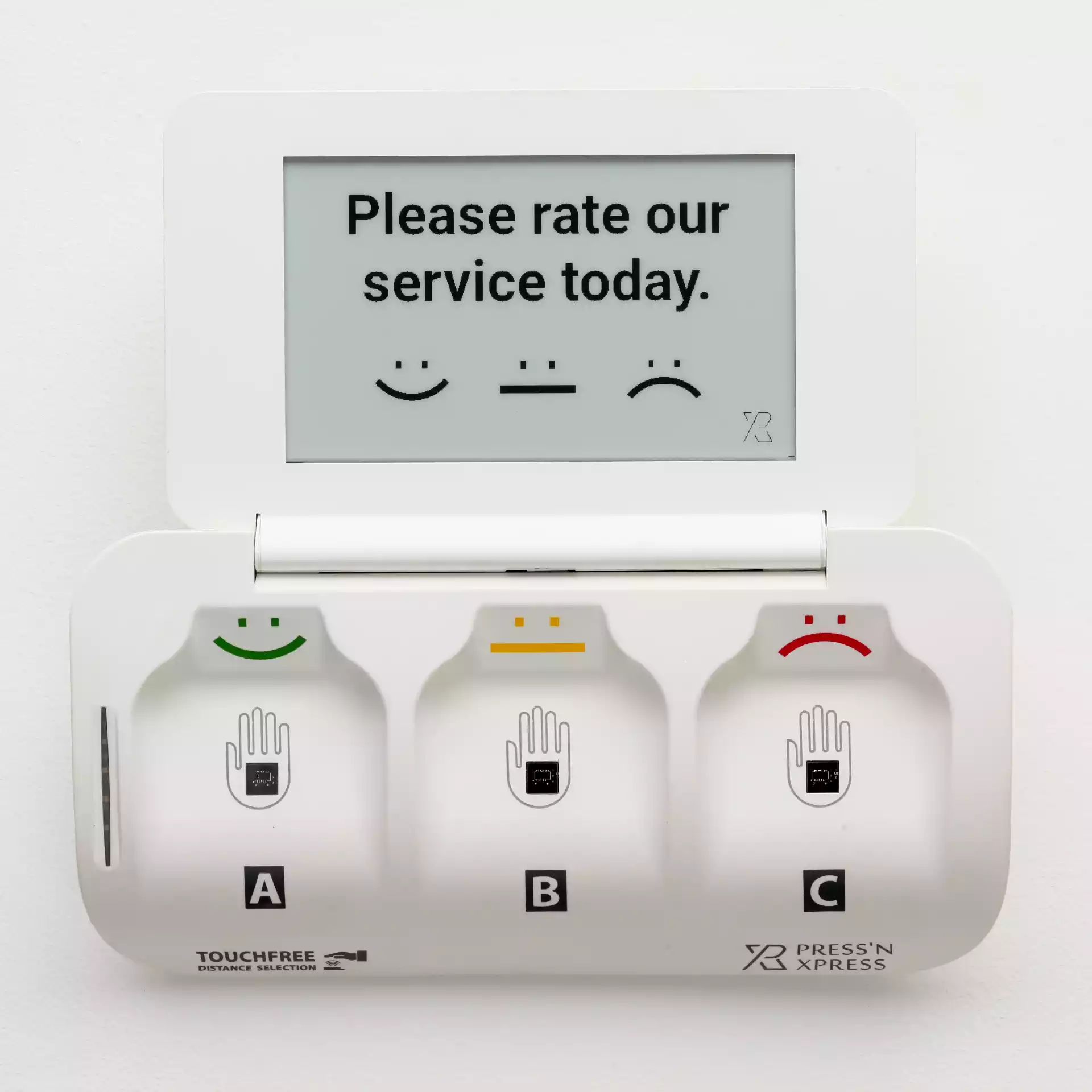
Wall mount
Mounted at any height where floor space is tight or cleanliness matters most.
- Washrooms and corridors
- Clinics and food service
Built In
Everything a smiley feedback machine should do
Touchless answering
The TouchFree model reads a hovering hand, so nobody touches a shared surface.
Remote question changes
Update the question for one terminal or the whole fleet from the dashboard.
Follow-up questions
Issue tags and A-B-C choices after a low score explain what went wrong.
Comments by QR code
Visitors who want to say more scan the code on the screen and leave a comment.
Fake response filtering
Misused and repeated presses are filtered out automatically, so scores stay honest.
Alerts that reach people
SMS, email or WhatsApp notifications when a location needs attention.
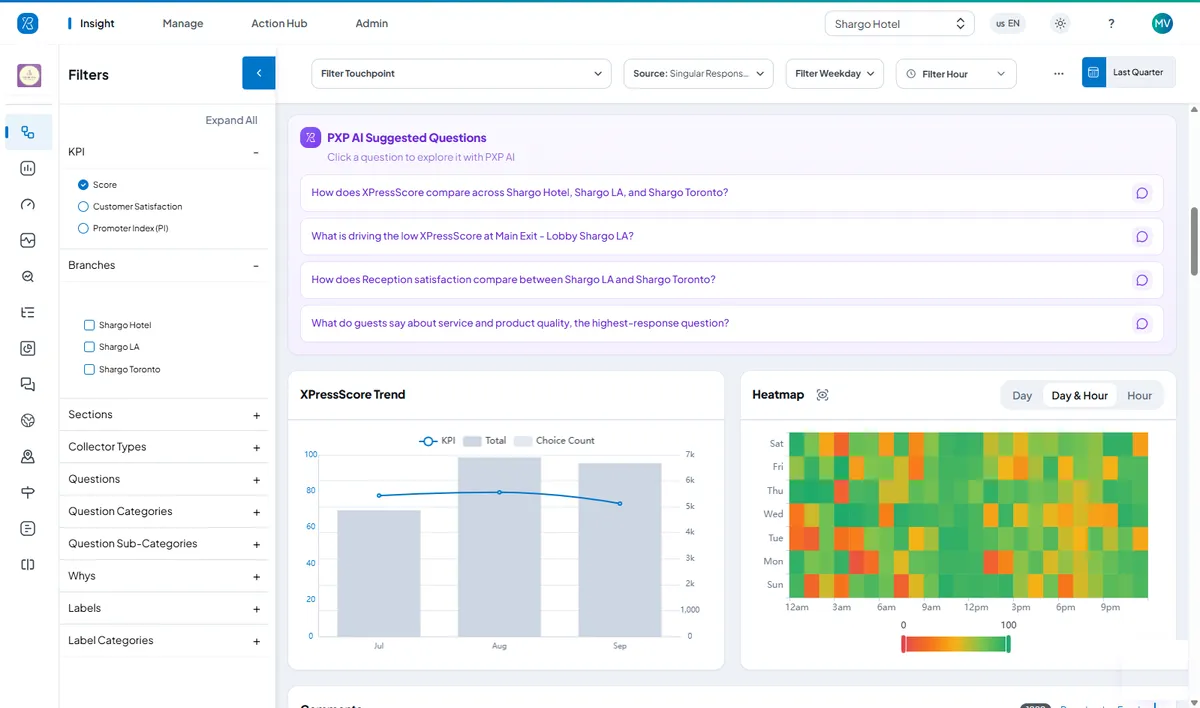
Analytics Included
Every rating, on one dashboard
Each smiley terminal comes with the Press'nXPress dashboard and PXP AI. See satisfaction by location, hour and day, spot the touchpoints that are slipping, and ask PXP AI what changed in plain language.
- Compare sites, entrances and counters side by side
- Heatmaps by day and hour show when issues peak
- PXP AI summarizes comments and themes
From feedback to fixed
Low Scores Become Work Orders, Alerts and Verified Fixes
When feedback points to a problem on site, Action Hub opens a work order for that location, alerts the right person and keeps the clock running until the fix is confirmed.
- Threshold reachedPer-location rules spot a run of low ratings or a missed check.
- Work order openedAssigned to the person who owns that location, reason attached.
- Alert sentBy SMS, email or WhatsApp, with delivery tracked.
- Escalated on SLAA supervisor is alerted if it is still open when the target passes.
- Fix verifiedConfirmed on site, with the resolution time on record.
- Staff canteen · Hot lineFood temperatureEscalated
- Hotel · Front deskCheck-in wait timeAssigned
- Hospital · Ward 4BNoise at nightResolved
WhatsApp · Sous chef“Hot line food reported cold - please check holding temperatures.”
Compare
Smiley terminal, QR code or tablet?
Most sites mix them. Here is where each one fits.
| Dimension | QR code | Tablet app | Smiley terminal |
|---|---|---|---|
| Effort for visitors | Take out a phone and scan | One or two taps | One hover or press |
| Response volume | Lower - only motivated visitors | Medium | Highest - 30%+ at kiosk sites |
| Power and connection | None needed | Tablet battery or mains, Wi-Fi | Battery over a year, built-in SIM |
| Questions | Full survey | Multi-question, branded | One question plus follow-up |
| Best for | Every stall, table or room | Branded entrances, richer answers | Busy exits, washrooms, counters |
Use Cases
Where smiley terminals work best
- FacilitiesSmart Restroom ManagementUsage-based cleaning, verified check-ins and automatic work orders.
- HealthcarePatient & Facility ExperienceReal-time patient feedback across clinics, wards and washrooms.
- Food ServicesCorporate & Campus CateringDaily meal feedback, menu by menu and site by site.
- Facility ManagementFacility Services ExperienceSLA-grade evidence at every client site.
- TransportationAirport Passenger JourneyEvery step from parking to gate, measured and ranked.
- RetailRetail Conversation IntelligenceTurn everyday store conversations into operational insight.
- Retail & HospitalityQuick Voice FeedbackScan, speak, done - routed to staff before customers leave.
- Contact CenterVoice Feedback IntelligencePost-call feedback that drives coaching and recovery.
Smiley terminal FAQs
What is a smiley terminal?
A smiley terminal is a small feedback device with three faces - happy, neutral and unhappy - that visitors use to rate an experience in about a second as they pass. Each rating is stored with its location and time, so teams can see where and when satisfaction drops and act on it the same day.
How much does a smiley feedback terminal cost?
Pricing depends on how many terminals and locations you need, the format (floor stand, counter or wall mount) and the subscription that includes the dashboard and alerts. Contact us for a quote - most teams start with a small pilot before rolling out.
Does the smiley terminal need Wi-Fi or a power socket?
No. The terminal runs on a battery that lasts over a year and connects through a built-in SIM card, so it can be placed at exits, washrooms, counters or any high-traffic spot without cabling or access to your Wi-Fi.
Is the smiley terminal touchless?
Yes. The TouchFree model is answered by holding a hand over a face, so visitors never touch a shared surface. That makes it a good fit for washrooms, clinics and food service areas.
Can I change the question on the terminal?
Yes. Questions are changed from the Press'nXPress dashboard without visiting the device, for one terminal or a whole fleet at once. Terminals also support A-B-C choice questions and follow-up issue tags after a low score.
How is it different from a push-button smiley box?
Basic smiley boxes only count presses. The Press'nXPress terminal has a digital screen with a question you can change remotely, touchless answering, follow-up questions, filtering of misused or fake responses, and alerts that turn low scores into work orders for your team.
Keep exploring
Start With a Pilot. Scale When It Proves Itself.
We deploy PXP at a focused set of locations, show you what the feedback reveals, then roll out to more locations and touchpoints with you. Our Customer Success team supports you from pilot to rollout.
- Pilot at a few locations first
- Help choosing terminals for each site
- No hidden fees
- Surveys in any language