Survey Kiosks
Customer Satisfaction Survey Kiosks That Ask the Right Follow-Up
A quick rating everyone answers, then one smart follow-up that explains it. Press'nXPress survey kiosks collect the score and the reason at the moment of the experience - on a touchless terminal or a branded tablet.
- Rating first, follow-up only when it helps
- Issue tags, A-B-C choices and comments by QR
- Terminal or tablet - same dashboard
- Surveys in any language
- Years helping operators listen
- 10+
- Corporate clients across six industries
- 75+
- Feedback signals captured in the moment
- 12M+
Trusted by teams at





How It Works
How a survey kiosk turns one tap into a reason
Short enough that people finish it, detailed enough to act on.
- 1
A rating everyone answers
One clear question - "How was your visit today?" - with happy, neutral and unhappy options.
- 2
A follow-up only when it helps
After a low score, issue tags or an A-B-C choice ask what went wrong. Happy visitors are done in a second.
- 3
Room for more, without slowing anyone
Visitors who want to explain scan the QR code on the screen and leave a comment on their phone.
- 4
The answer reaches someone
Results land live with location and time, and low scores alert the person who can fix them.
Two Kinds of Survey Kiosk
Terminal or tablet: pick the survey kiosk for the spot
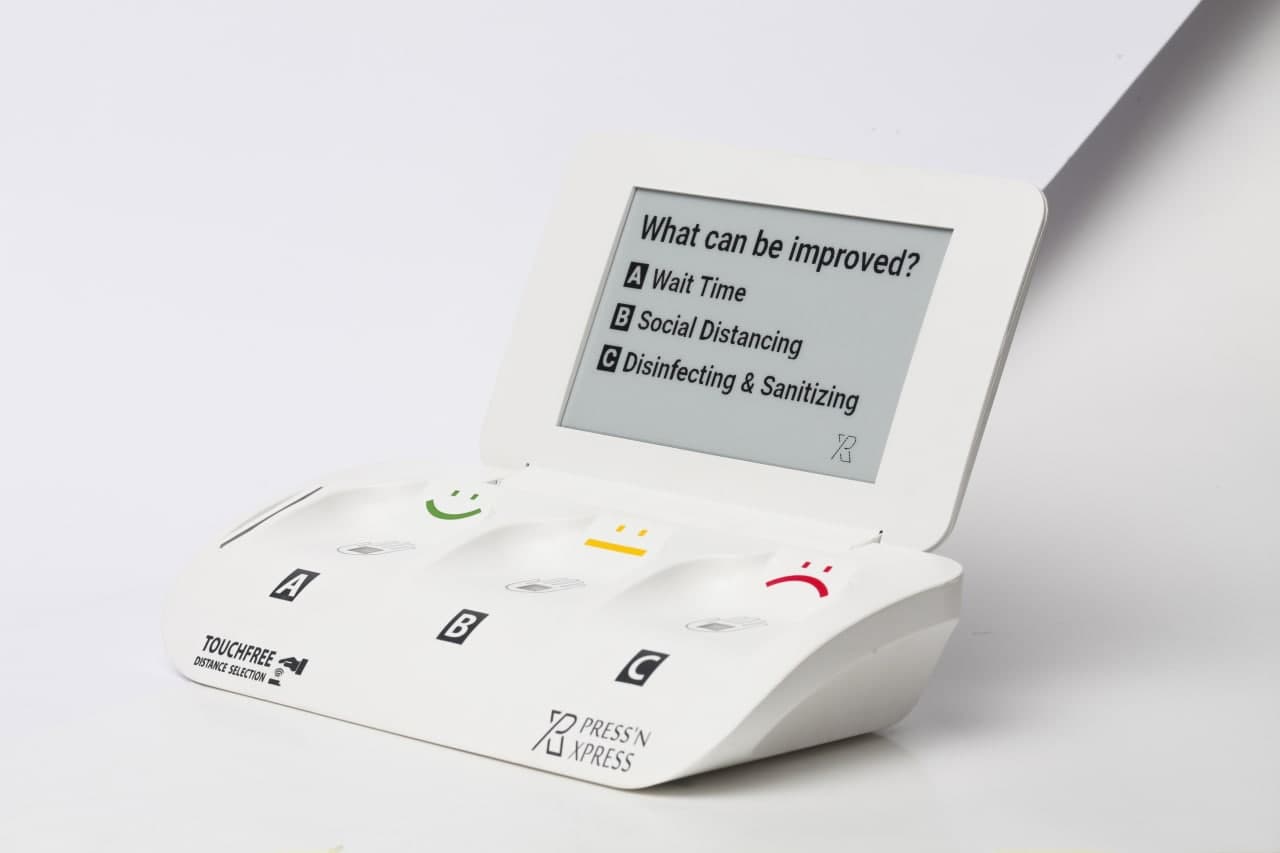
Touchless survey terminal
One hover answers the main question, with an A-B-C follow-up on the digital screen. Built for high volume at busy exits and counters.
- Highest response rates - 30%+ at kiosk sites
- Battery lasts over a year, built-in SIM
- Question changed remotely
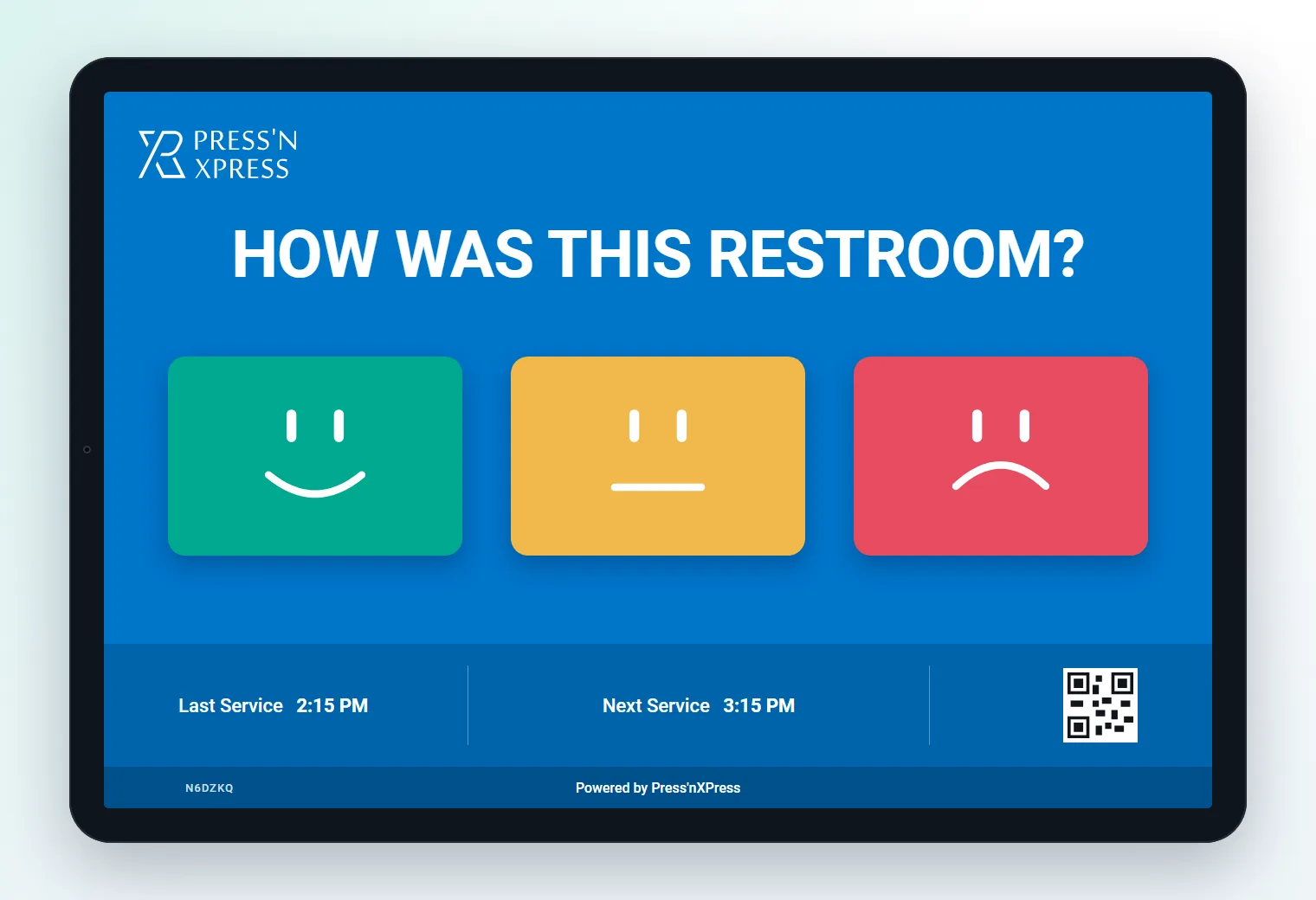
Tablet survey kiosk
A branded touchscreen survey with several questions, issue tags with icons and a last-cleaned or service display.
- Multi-question surveys
- Your branding and any language
- Ideal at entrances and front desks
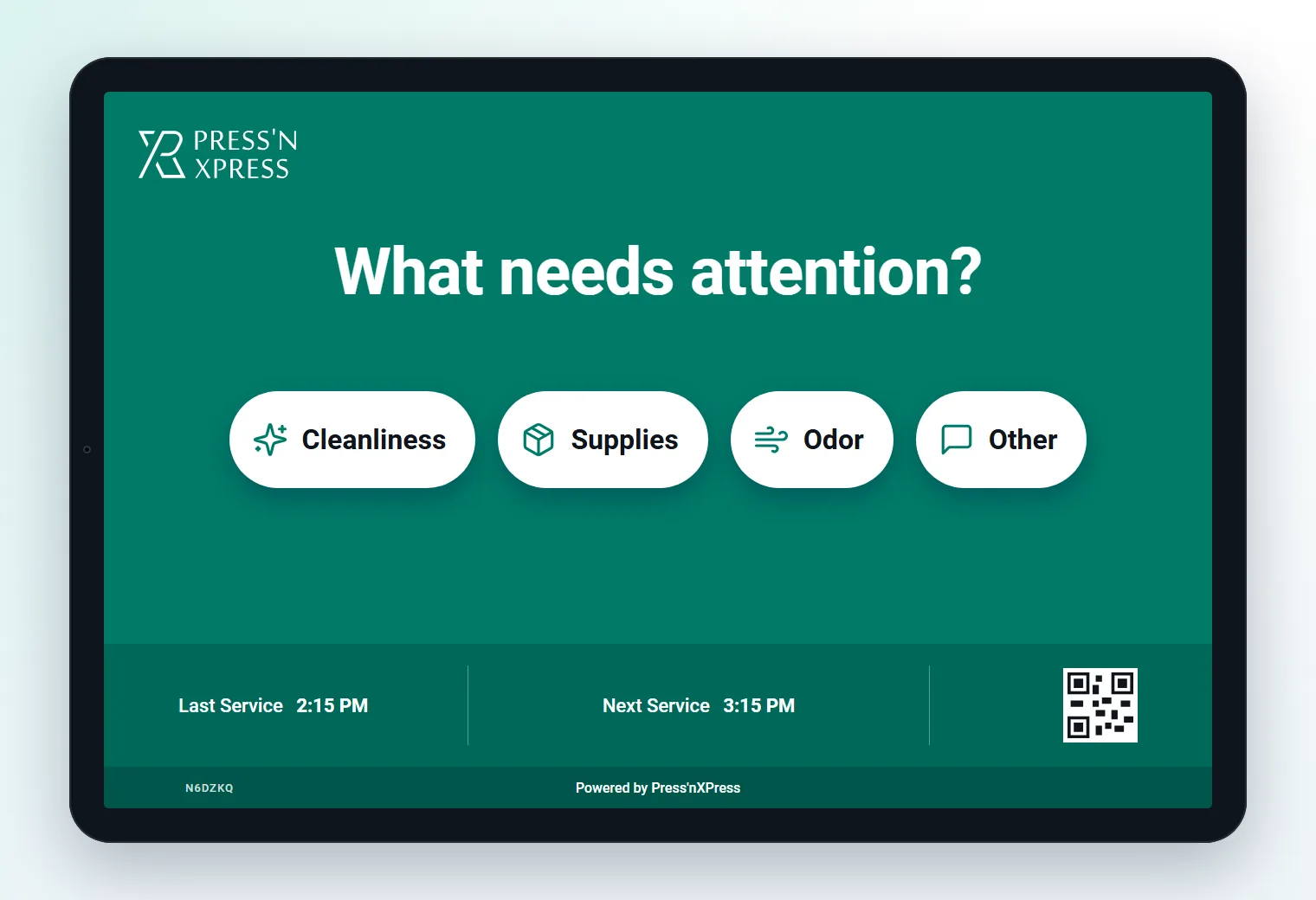
Follow-up screen
Whichever kiosk you choose, a low score can lead to a short follow-up so you get the reason, not just the number.
- Issue tags such as cleanliness or wait time
- Routes the alert by issue
- Optional comment by QR
Why Kiosks
Survey kiosk vs paper forms and email surveys
| Dimension | Paper form | Email survey | Survey kiosk |
|---|---|---|---|
| When it's answered | Whenever someone bothers | Hours or days later | At the moment of the experience |
| Response volume | Very low | Low | High - 30%+ at kiosk sites |
| Location and time | Often missing | Approximate | Exact kiosk, site and minute |
| Speed to act | Days, after someone reads it | After the survey closes | Live alerts and work orders |
Survey Design
Kiosk survey questions that work
Lead with one rating
"How was your visit today?" or "How clean is this washroom?" - one question everyone can answer in a second.
Ask why only when it's low
Show issue tags after an unhappy score. Happy visitors shouldn't have to do more.
Make every option actionable
Tags like wait time, staff, cleanliness or supplies tell the team exactly what to fix.
Change questions as you learn
Rotate questions remotely by site, season or campaign without touching the kiosk.
Results
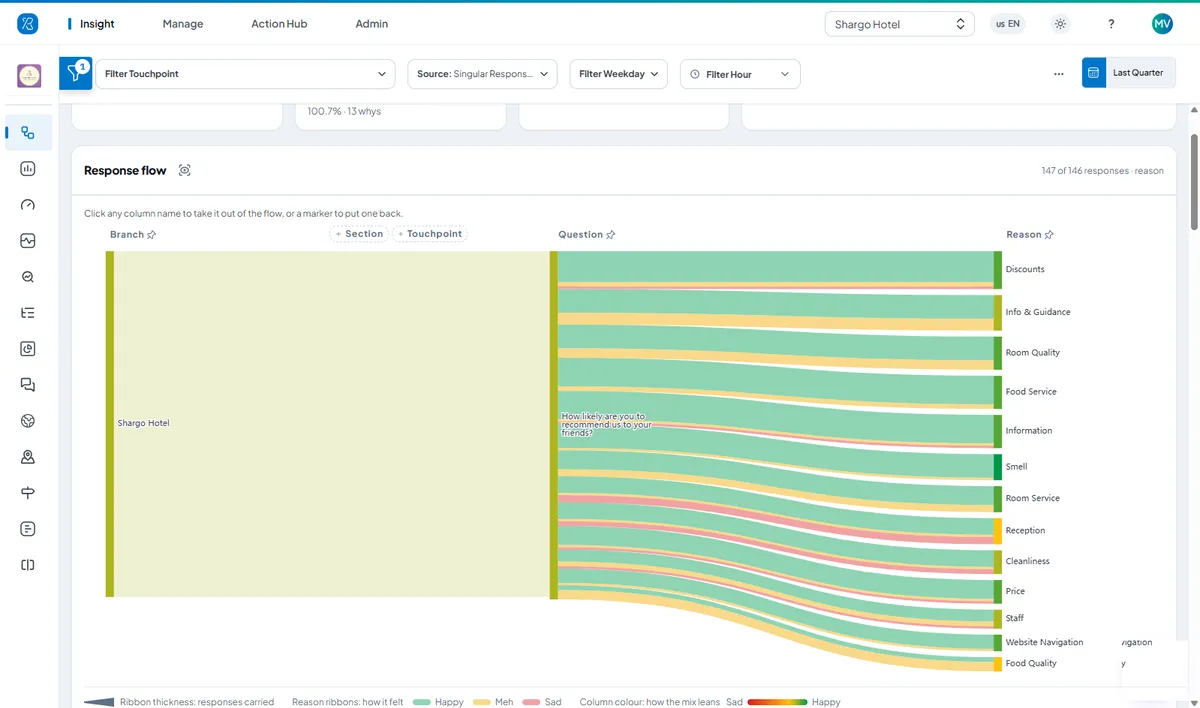
See every answer and the reason behind it
The response flow shows how scores split by question and reason, so you can see which issues drive unhappy ratings at each site - and whether they are improving.
- Follow every response to the reason behind it
- Compare sites, kiosks and questions
- PXP AI summarizes comments and themes
From feedback to fixed
Low Scores Become Work Orders, Alerts and Verified Fixes
When feedback points to a problem on site, Action Hub opens a work order for that location, alerts the right person and keeps the clock running until the fix is confirmed.
- Threshold reachedPer-location rules spot a run of low ratings or a missed check.
- Work order openedAssigned to the person who owns that location, reason attached.
- Alert sentBy SMS, email or WhatsApp, with delivery tracked.
- Escalated on SLAA supervisor is alerted if it is still open when the target passes.
- Fix verifiedConfirmed on site, with the resolution time on record.
- Staff canteen · Hot lineFood temperatureEscalated
- Hotel · Front deskCheck-in wait timeAssigned
- Hospital · Ward 4BNoise at nightResolved
WhatsApp · Sous chef“Hot line food reported cold - please check holding temperatures.”
Survey kiosk FAQs
What is a survey kiosk?
A survey kiosk is a self-service device that asks customers or visitors a short survey on the spot - usually a rating first, then one or two follow-up questions. Because it is answered at the moment of the experience, it collects far more responses than a survey sent later by email.
How many questions should a kiosk survey have?
As few as possible. Start with one rating question that everyone answers, then show a follow-up only when it adds something - for example, issue tags after a low score. Most good kiosk surveys take under ten seconds; an optional comment by QR code covers everything else.
Should I use a smiley terminal or a tablet as a survey kiosk?
Use a smiley terminal for the highest response volume at busy spots - one hover answers the question, and it can add an A-B-C follow-up. Use a tablet when you want several questions, issue tags with icons, your branding and a richer layout. Both report to the same dashboard.
Can survey kiosks run in different languages?
Yes. Surveys can be set up in any language, so each location can ask in the languages its visitors speak, while all responses roll up into one dashboard.
How are survey kiosk results used?
Responses appear live with their location and time. Low scores can open a work order and alert the responsible person by SMS, email or WhatsApp, while trends by site, hour and question show where to improve over time.
Keep exploring
Start With a Pilot. Scale When It Proves Itself.
We deploy PXP at a focused set of locations, show you what the feedback reveals, then roll out to more locations and touchpoints with you. Our Customer Success team supports you from pilot to rollout.
- Pilot at a few locations first
- Help choosing terminals for each site
- No hidden fees
- Surveys in any language